État des lieux, the mobile app
Document 1.1, 2026-10-20. App 1.10.0. History, what is still missing.
What the app is, every screen with its states, what exists today, what we need from you. German build, Android. Tap a screenshot to enlarge.
01 — The product
What it does
An état des lieux is the French legal inspection of a rented home: room by room, the condition of every element, signed by landlord and tenant at move-in and again at move-out. The two are compared when the tenant leaves. Most are still done on paper.
The app does it on a phone, on site, offline:
- Describe the property, landlord and tenants, or import them from our web apps.
- Walk the rooms. Per element: a grade, a comment, photos.
- Count keys, read meters, list furniture (furnished lets).
- Review, then send for electronic signature. Signers get an email, sign on their own device, and the signed PDF comes back into the app.
At move-out, the app pre-fills every grade from the move-in and highlights what changed.
Who uses it
- Small private landlords: a few inspections a year, not technical, need guidance.
- Property managers and agencies: several a week, back to back. Need speed and no re-typing of data they already have.
- Tenants never touch the app. They get the DocuSign email and the signed PDF.
Context: standing in an empty flat, one hand, moving room to room, often without network. 20 to 90 minutes per inspection. Customers are French; English and German exist. Room and element names stay French in every language.
The family of products
| Role | |
|---|---|
| État des lieux (this app) | Field capture, offline first, iOS and Android. Works without an account; an account unlocks export and signature. |
| Docucéo (web) | Leases written and signed online; inspection reports reviewed, paid and signed there too. Same account. |
| Appliceo (web) | The older property-management product. Source of leases, properties, landlords and tenants the app can import. |
| DocuSign | The signature provider. Signers need no account. |
Signature can start from the phone (one credit, the report is built on the server) or from Docucéo after review. Either way the phone then shows the inspection as locked and follows the signature status.
Rules that shape the screens
- Draft from the first field. Nothing is lost; a draft reopens where it stopped.
- Six grades, green to red: Neuf, Très bon, Bon, État d'usage, Mauvais, Très mauvais. Averages give a room grade and an overall grade.
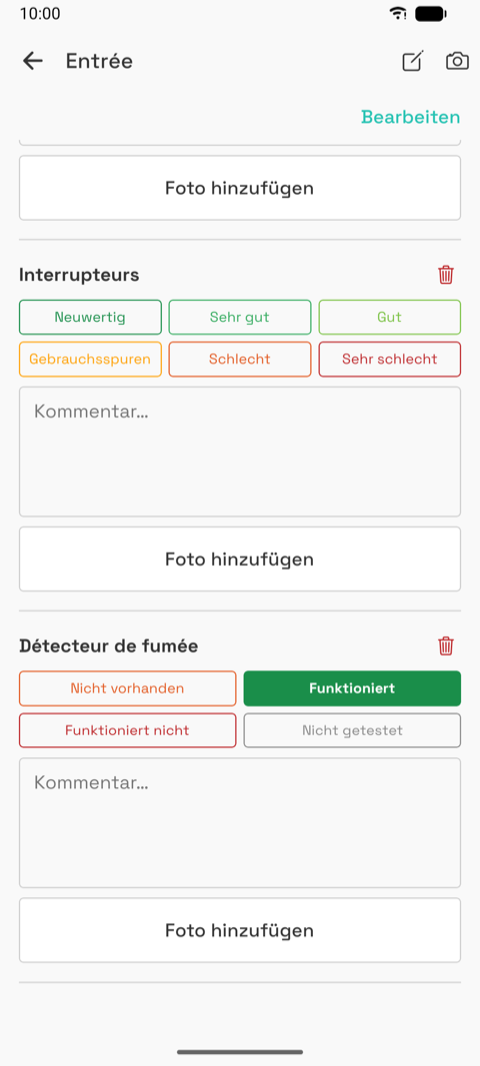
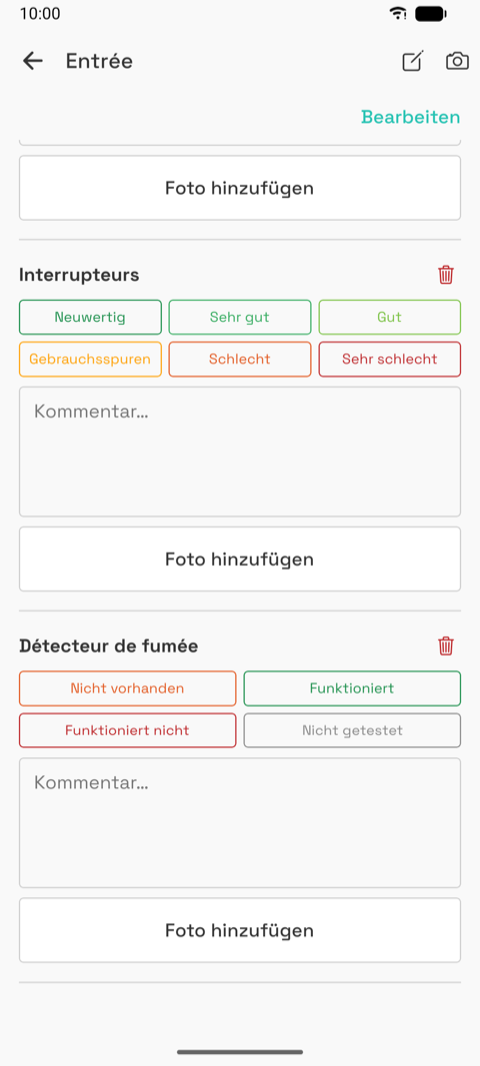
- Functioning scale for equipment (smoke detector): Absent, Working, Not working, Not tested. Not a grade, not averaged.
- Move-out pre-fills move-in. The user changes what changed; the summary shows each change.
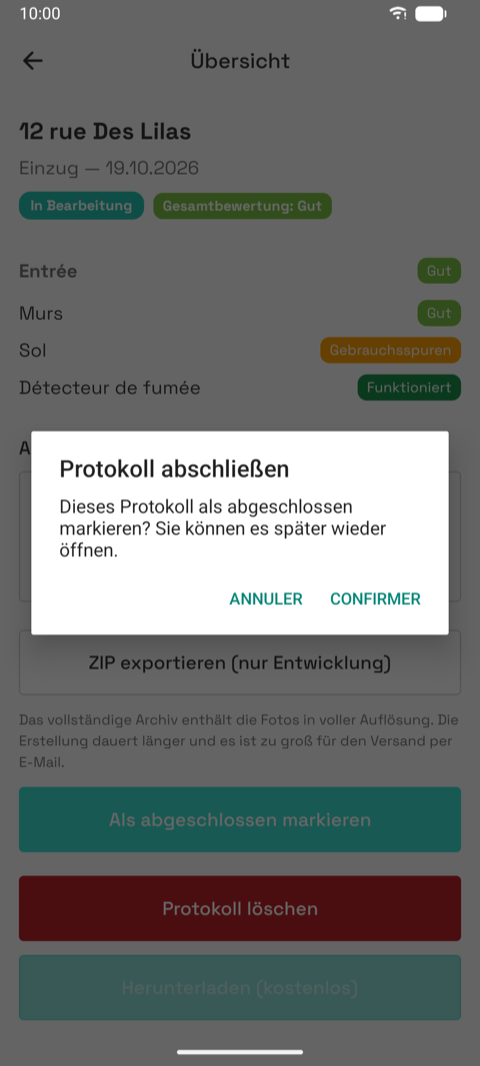
- Completed is not locked. It signals "done" and uploads. Reopening asks for confirmation.
- Locked after sending. Nothing changes on the phone once sent, paying or signed.
- Guest mode. Everything works without an account except the free PDF and sending for signature. The app says so before continuing as a guest.
- Imported data is read-only at its source. Edits stay on the phone, marked "modified locally".
- Remote-only inspections. Done on another device or in Docucéo: listed with a "Sur Docucéo" badge, opened on a reduced summary.
- Credits. One signature request costs one credit.
- The checklist is the client's. Rooms, elements, furniture come from a spreadsheet he maintains, French only.
Where it stands
Version 1.10.0, October 2026, with a group of testers on TestFlight and Play. The full flow works. The look is the framework default lightly themed with the Appliceo colours. Nothing has been designed yet.
02 — Glossary
The product is French first. Every screen label exists in French, English and German, but the domain vocabulary and most conversations with the client are French. This table is the bridge.
Room, element and furniture names (the checklists inside an inspection) come from the client's reference workbook and exist in French only, whatever the app language. You will see them in French in the German screenshots.
Domain
| French (product, client) | English (docs, code) | German (app UI) | Meaning |
|---|---|---|---|
| État des lieux (EDL) | Inspection report | Übergabeprotokoll | The legal walk-through of a rental property, room by room, with the condition of every element. One document at move-in, one at move-out. |
| État des lieux d'entrée | Check-in inspection | Einzugsprotokoll | Done when the tenant moves in. Reference for the exit. |
| État des lieux de sortie | Check-out inspection | Auszugsprotokoll | Done when the tenant leaves. Compared element by element with the entry. |
| Bail | Lease | Mietvertrag | The rental contract. Importing one pre-fills unit, landlord and tenants. |
| Lot / bien | Unit (property) | Objekt | The rented property: flat, house, parking, cellar. Has an address, a type and rooms. |
| Typologie | Property type | Objektart | Flat, house, studio, parking… Decides the default rooms and elements. |
| Pièce | Room | Raum | Living room, kitchen, bedroom… Each has elements. |
| Élément | Element (item) | Element | What is rated inside a room: wall, floor, window, sink… |
| Annexe | Annex | Nebenraum | Cellar, parking, garden, attached to the unit. |
| Bailleur | Landlord | Vermieter | The lessor: a person, a company (SCI) or an agency acting for owners. |
| Propriétaire | Owner | Eigentümer | The owner an agency acts for. Only shown when the landlord is an agency. |
| Mandataire / agence | Agent / agency | Bevollmächtigter / Agentur | Property manager signing on behalf of the owner. |
| Locataire | Tenant | Mieter | The renter. One or more per inspection. |
| Partie | Party (contact) | Kontakt | Any person or company involved: tenant, owner, representative. |
| Meublé | Furnished | Möbliert | A furnished let: adds a furniture inventory to the inspection. |
| Inventaire du mobilier | Furniture inventory | Möbelinventar | List of furniture with present / absent and quantities, compared at exit. |
| Clés | Keys | Schlüssel | Count of keys handed over: building, badge, front door, garage, custom. |
| Compteurs | Meter readings | Zählerstände | Water, electricity, gas readings at entry and exit, with the consumption diff. |
| État / note | Condition (grade) | Zustand / Bewertung | Six grades: Neuf, Très bon, Bon, État d'usage, Mauvais, Très mauvais. |
| Échelle de fonctionnement | Functioning scale | Funktionsskala | For equipment such as smoke detectors: Absent, Fonctionnel, Non fonctionnel, Non testé. Not a grade, excluded from averages. |
| Note globale | Overall grade | Gesamtbewertung | Average of the element grades. A suggestion today, override planned. |
| Brouillon | Draft | Entwurf | An inspection whose creation wizard is not finished. Saved from the first field. |
| En cours | In progress | In Bearbeitung | Rooms are being filled in. |
| Terminé | Completed | Abgeschlossen | Marked complete by the user. Still editable after a confirmation. |
| Récapitulatif | Summary | Übersicht | The read-only overview of an inspection with grades, keys, meters and actions. |
| Envoyer pour signature | Send for signature | Zur Unterschrift senden | Upload the report and start a DocuSign envelope. Costs one credit. Locks the inspection. |
| Crédit (acte) | Credit | Signaturguthaben | One paid unit, consumed by one signature request. Bought in the app or in Docucéo. |
| Unterzeichner | Signer | Unterzeichner | Each landlord, agent or tenant who must sign. Gets an email from DocuSign. |
| Verrouillé | Locked | Gesperrt | Paying, sent or signed: the inspection cannot change any more. |
| Sur Docucéo | Remote only | Auf Docucéo | An inspection that exists on the account but not on this phone (created or finished elsewhere). |
| Rapport | Report | Bericht | The PDF produced from an inspection. Full version with photos, or light version without. |
| Version légère | Light version | Kostenlose Version | Free PDF without photos, signature or comparison. Available to signed-in users. |
| Mode invité | Guest mode | Ohne Konto | Using the app without an account: everything works except export and signature. |
Ecosystem
| Name | What it is |
|---|---|
| État des lieux (the app) | This mobile app. iOS and Android. Offline first. |
| Docucéo | The web app (docuceo.com) where leases are written and signed, and where inspection reports are reviewed, paid and signed. Same user account as the app. |
| Appliceo | The property-management web app (appliceo.com), the historical product. Source of leases, units, landlords and tenants that the app can import. |
| api | The backend both apps talk to. Not visible to users. |
| DocuSign | The electronic signature provider. Signers receive an email and sign on their own device. |
| TestFlight / Play internal | Where testers get the app before store release. |
Status words on the Home list
| German pill | Meaning |
|---|---|
| Entwurf | Draft: wizard not finished. Tapping resumes the wizard. |
| In Bearbeitung | In progress: opens the editor. |
| Abgeschlossen | Completed: opens the summary. |
| Zahlung läuft / Zur Unterschrift versendet / Wird unterschrieben / Unterschrieben | Signature stages, shown with the envelope icon. |
| Auf Docucéo | Remote only row. |
| Ungültige E-Mail | A signer's email bounced; fix it from the summary. |
03 — Screen map
Two shells. Signed out: the login screens. Signed in or guest: the main app with a drawer menu. The intro slides sit on top of either on first launch.
flowchart TD
  Boot[App start] --> Gate{Session?}
  Gate -- none --> Login
  Gate -- valid, offline
or guest --> Home
  Intro[Intro slides
first launch] -.-> Login
  Intro -.-> Home

  subgraph Login screens
    Login --> Register
    Login --> Forgot[Forgot password]
    Login --> GuestSheet[Guest sheet]
    Register --> VerifyPending[Verify your email]
    GuestSheet -- continue anyway --> Home
  end

  subgraph Drawer
    DrawerMenu[Drawer menu] --> Settings
    DrawerMenu -- guest --> Login
  end

  subgraph Main app
    Home[Home list] --> NewSheet[+ sheet]
    NewSheet -- from a lease / property --> Picker[Picker]
    NewSheet -- from scratch --> Wizard
    Picker -- lease --> Wizard[New inspection
5 steps]
    Picker -- property --> UnitDetail[Property]
    Home -- draft --> Wizard
    Home -- in progress --> Editor
    Home -- completed, locked, remote --> Summary
    Home -- create check-out --> Editor
    Wizard -- landlord --> EntityForm[Landlord form]
    Wizard -- tenant --> PartyForm[Contact form]
    Wizard -- start --> Editor[Inspection editor]
    Editor --> Room[Room]
    Editor --> Tenants[Tenants]
    Editor --> AddRoom[Add room sheet]
    Editor --> Camera
    Room --> Camera
    Room -- validate --> Room
    Editor --> Summary
    Summary --> Send[Send for signature]
    Summary -- reopen --> Editor
    UnitDetail --> Wizard
  end
Screens
| # | Screen | Reached from | Page |
|---|---|---|---|
| 0 | Update notice | App start, rare | 00 |
| 1 | Intro slides | First launch, Settings | 01 |
| 2 | Login and guest sheet | No session, drawer, logout | 02 |
| 3 | Register | Login | 03 |
| 4 | Verify pending, forgot password | Register, login | 04 |
| 5 | Home list | Root | 05 |
| 6 | Drawer | Home menu button | 06 |
| 7 | Picker (lease, property, landlord, contact) | "+" sheet, wizard, editor | 07 |
| 8 | Property list, detail, form | "+" sheet, editor | 08 |
| 9 | Tenants of an inspection | Editor | 09 |
| 10 | New inspection wizard | "+" sheet, picker, draft | 10 |
| 11 | Landlord form | Wizard, editor | 11 |
| 12 | Contact form | Wizard, tenants, editor | 12 |
| 13 | Inspection editor | Wizard, Home, summary | 13 |
| 14 | Room | Editor | 14 |
| 15 | Camera and photos | Editor, room | 15 |
| 16 | Summary | Editor, Home | 16 |
| 17 | Check-out comparison | Home | 17 |
| 20 | Settings | Drawer | 20 |
| 21 | Dev screen (test builds only) | Drawer | 21 |
| 22 | Remote-only inspection | Home | 22 |
| 23 | Send for signature | Summary | 23 |
Shared overlays: the bottom action sheet, native confirm and info dialogs, the photo caption editor, bottom sheets (add room, rename, guest mode).
What does not exist
No tab bar, no signature pad (DocuSign does it), no purchase screen, no dark mode, no tablet or landscape layout.
04 — User flows
Screenshots are the German build; numbers refer to the screen pages in 05-screens/.
A. First launch to first inspection (guest)
- Update notice only when an app update has to wipe local data (rare, we try to avoid it).

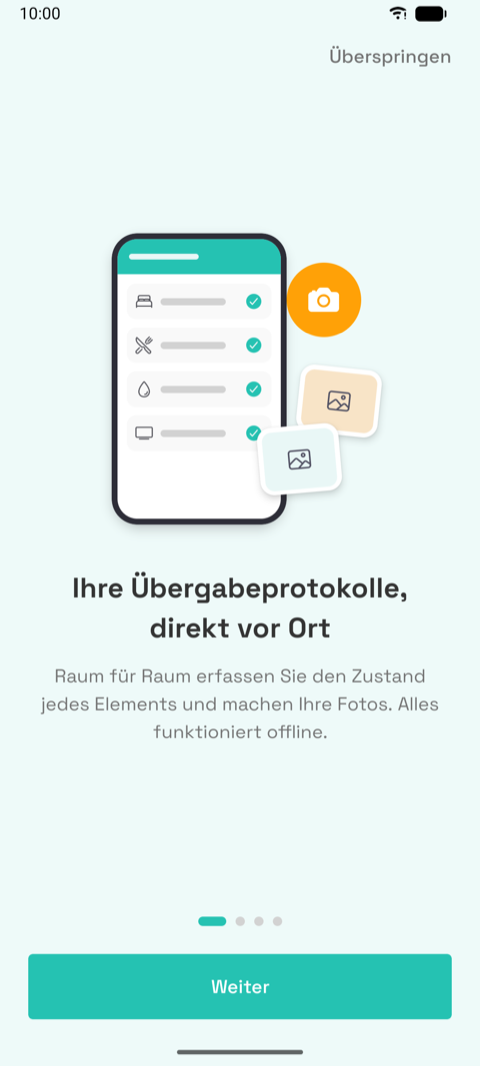
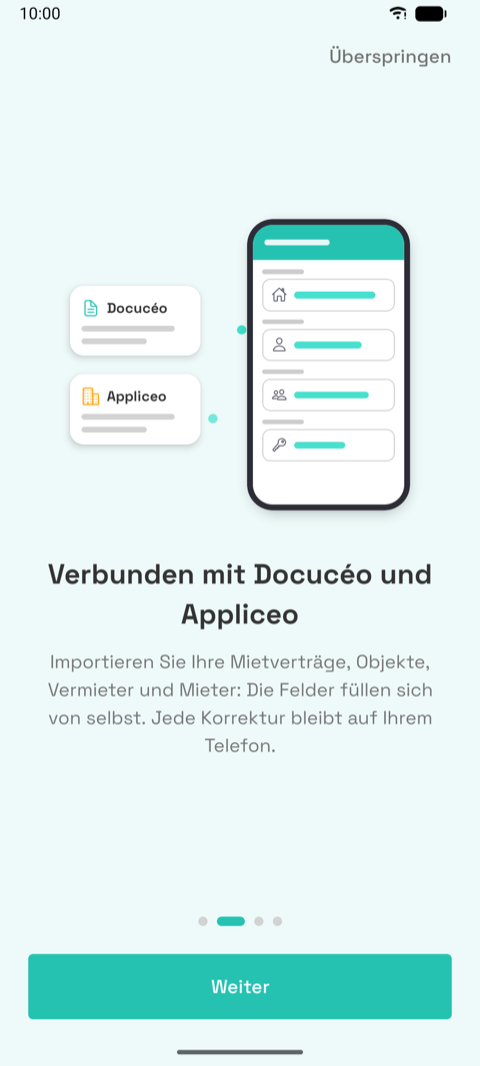
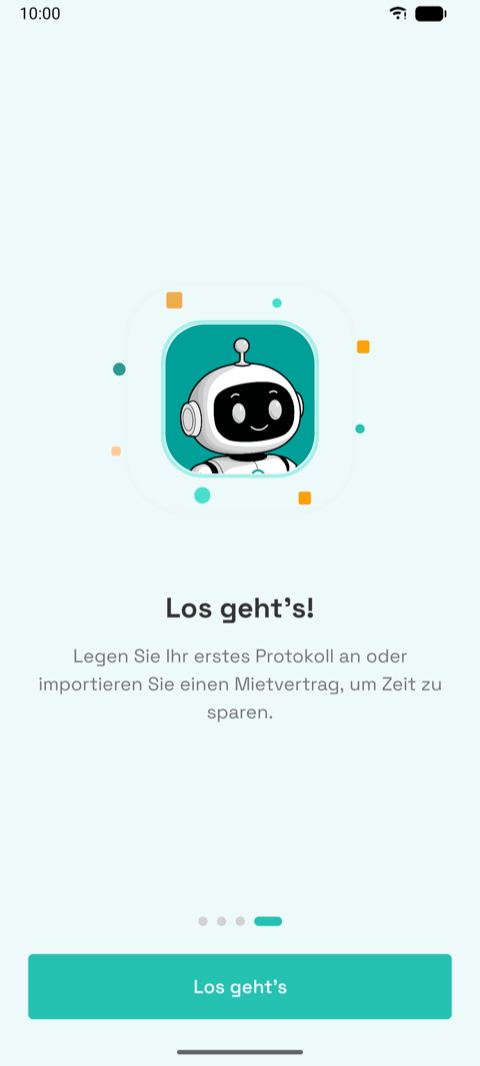
- Intro, four slides: on-site inspections, linked to Docucéo and Appliceo, signed with
DocuSign, "let's go". Skip link on the first three.

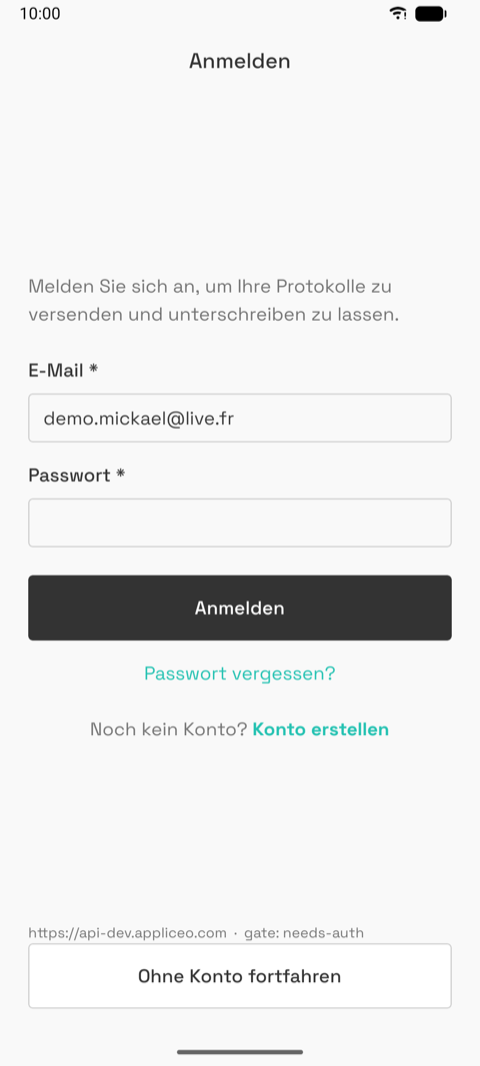
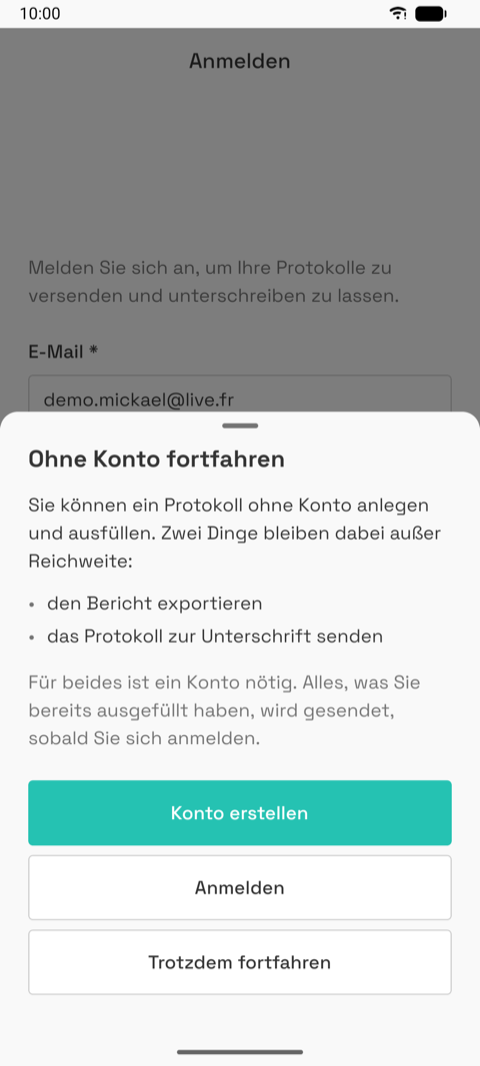
- Login, with "Continue without an account" at the bottom. That opens the guest sheet
which states the two limits (no export, no signature) and offers create / log in / continue.
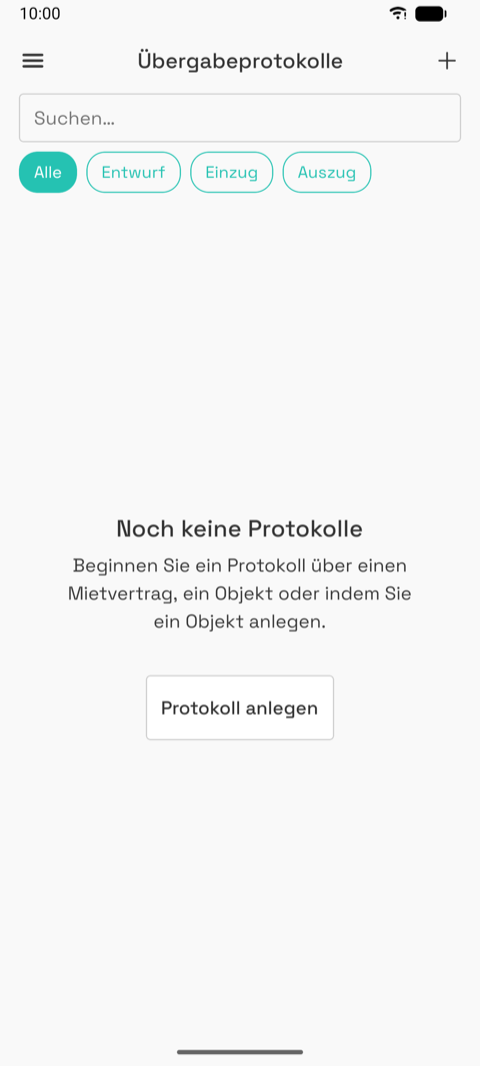
- Home, empty. One call to action: create an inspection. The "+" in the header opens the
action sheet: from a lease, from a check-in, from a unit, from scratch. The two "from" options
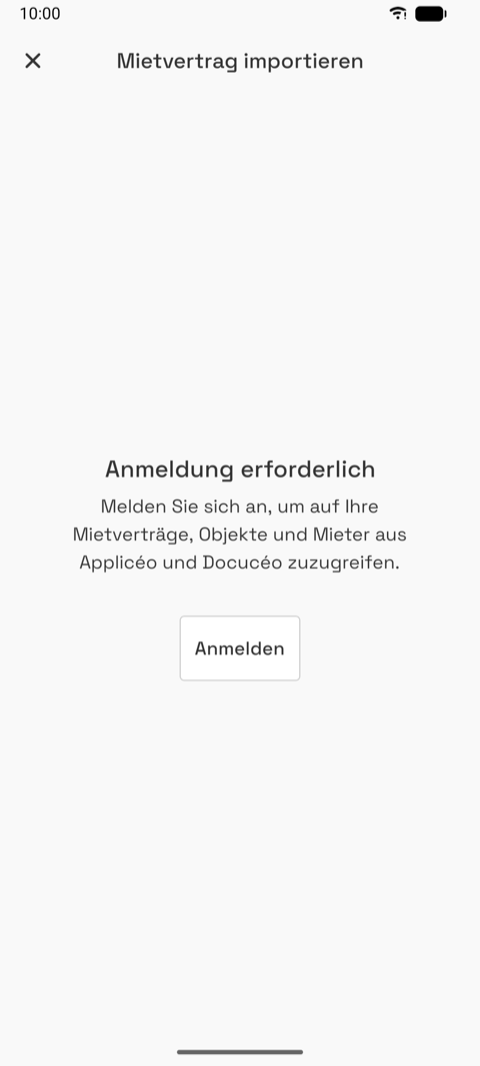
need an account: as a guest they land on the picker's sign-in wall.

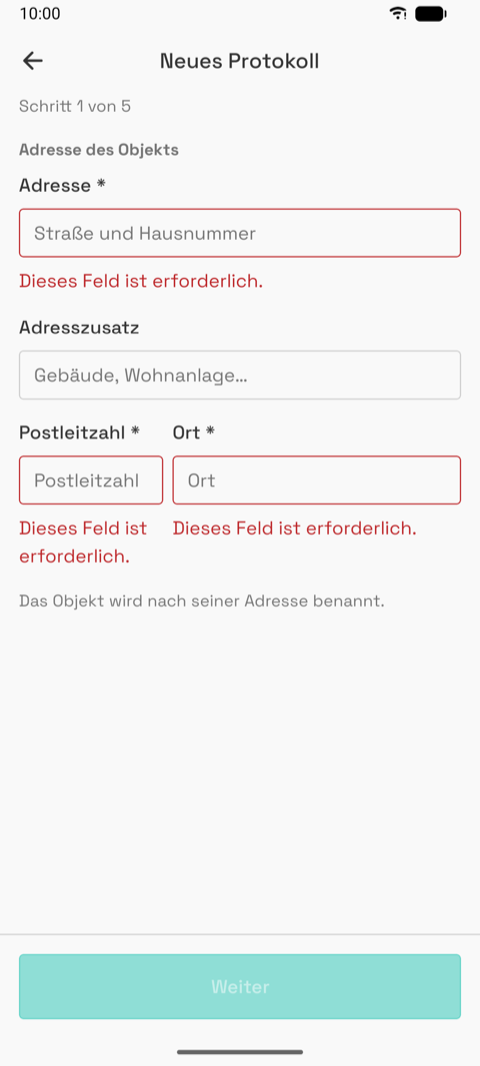
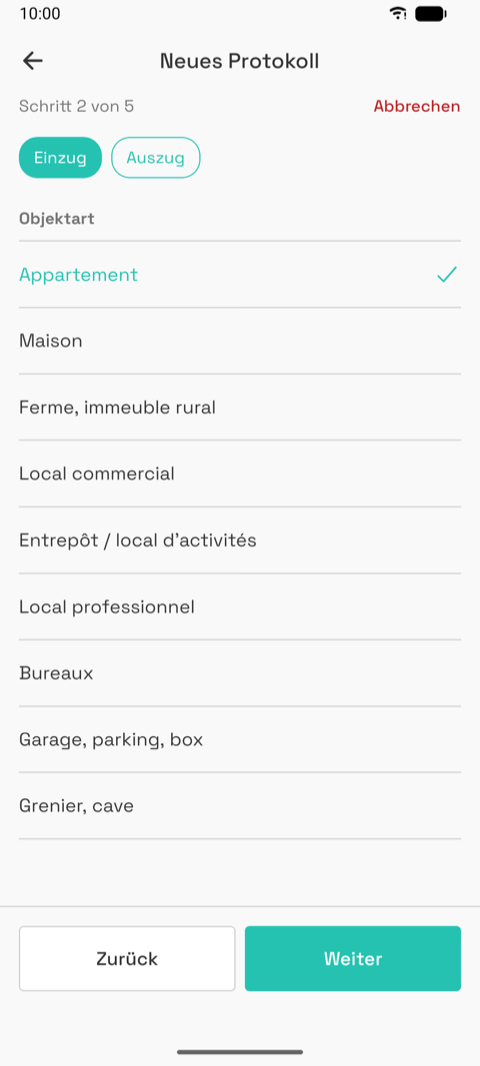
- Wizard, five steps. Address (the unit is named after it) → type (check-in / check-out,
lot type, furnished) → rooms (size band pre-selects, one switch per room) → landlord (choose
or create; an agency also names the owner) → tenants (add or create). "Next" stays dimmed
until the step is valid; a red "Cancel" appears once a draft exists.


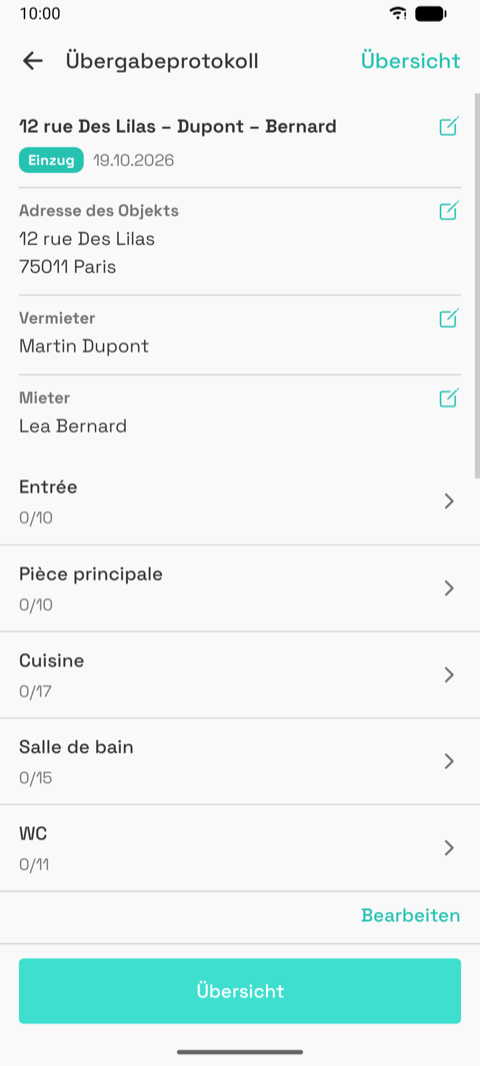
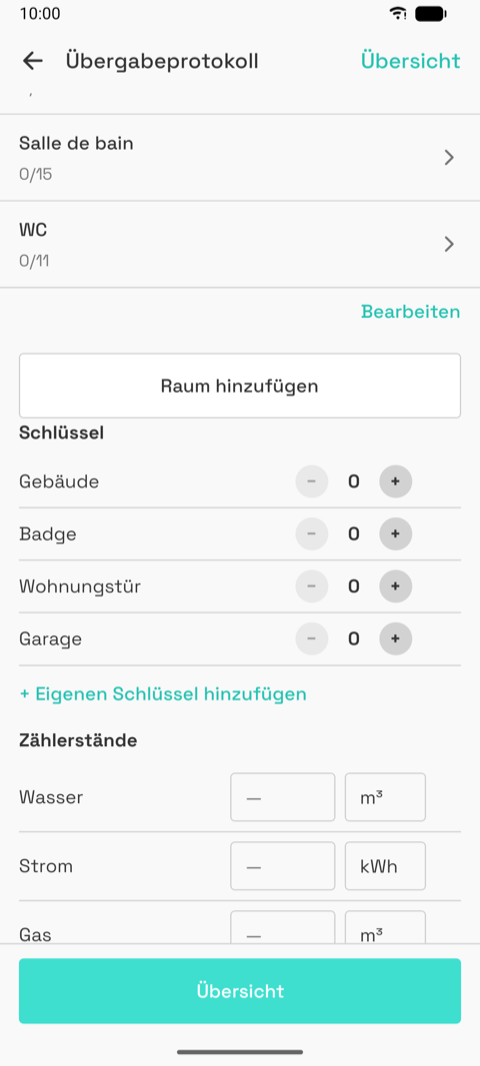
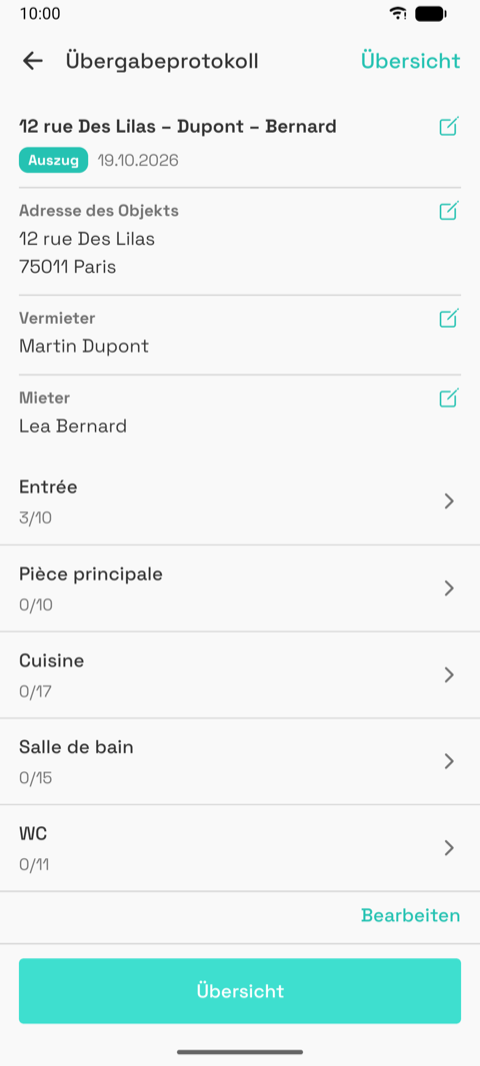
- Editor. Header block (name, type, date, address, landlord, tenants, each with a pen),
the room list with progress, then add room, keys, meters, furniture (furnished), comment,
general photos. Sticky "Summary" button.
- Room by room. Each element: a 2 × 3 grade grid, a comment, "add photo". Equipment uses
the 2 × 2 functioning grid. Footer: room comment, all photos grouped by element, general
photos, then "Validate and go to
". 

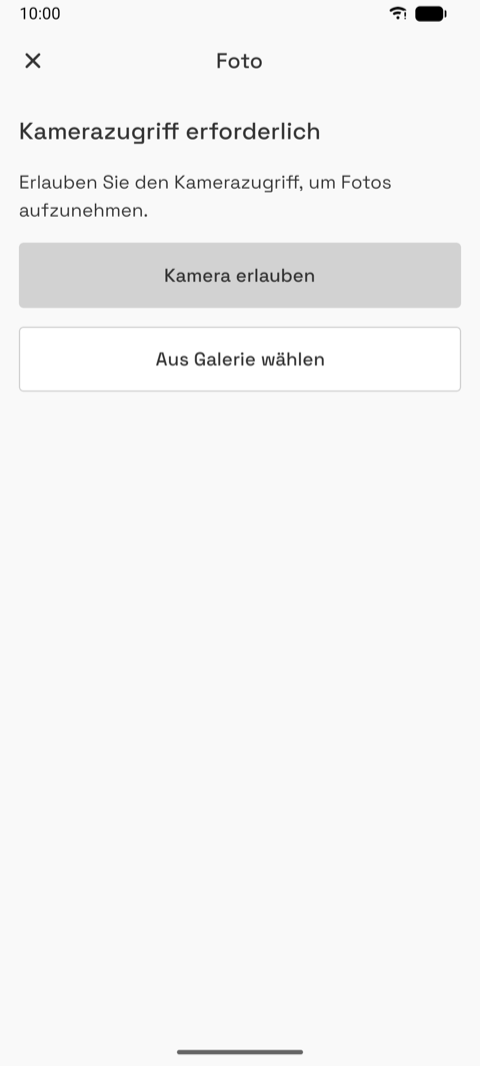
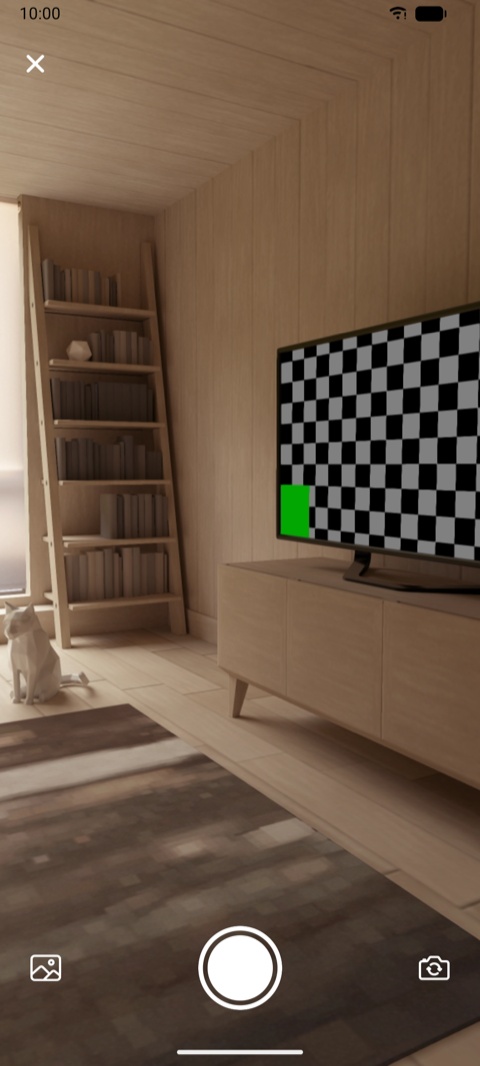
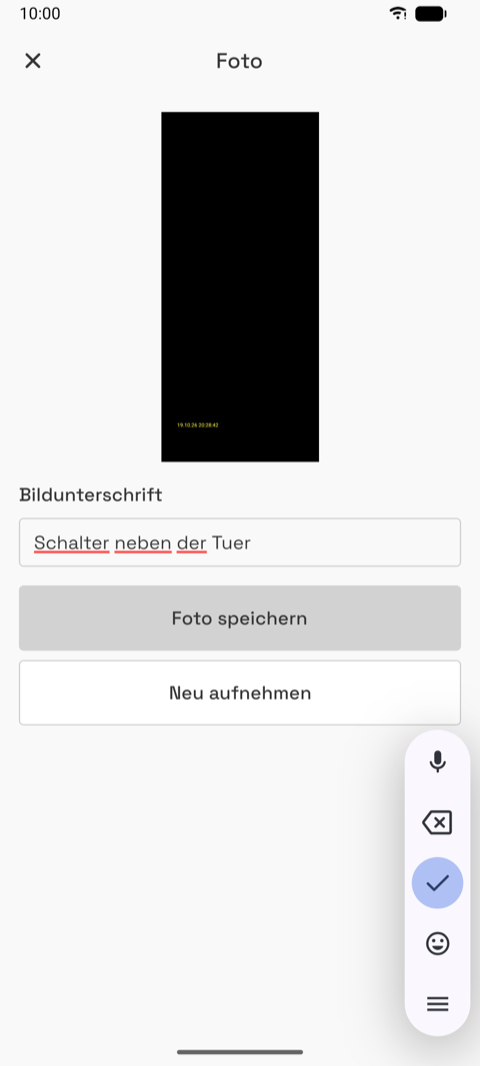
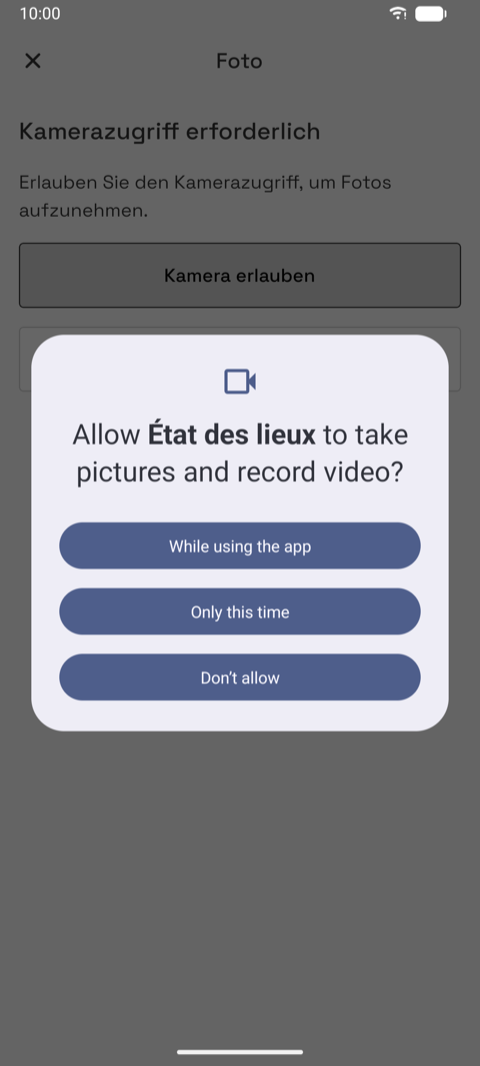
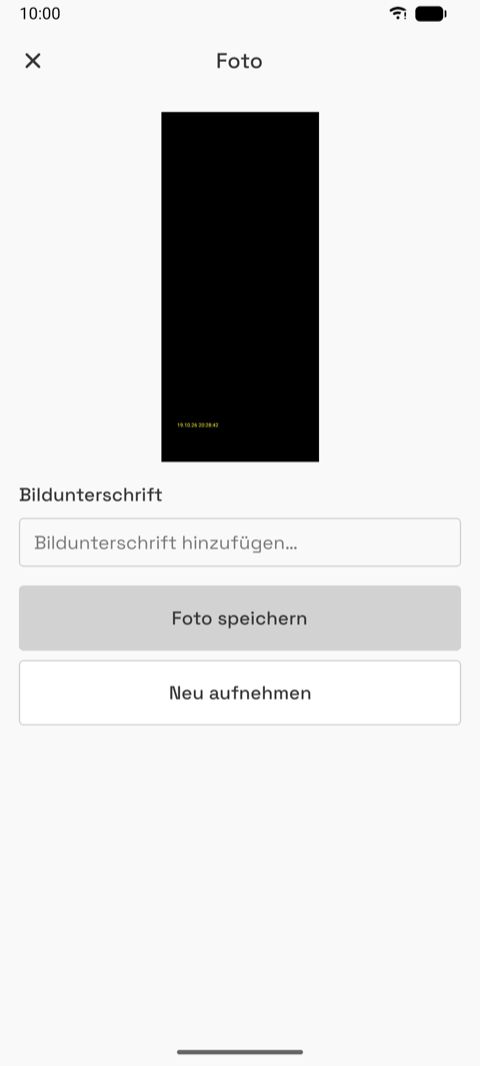
- Camera. Permission screen → live preview → review with caption → saved, the element
shows "Add photo (1)".

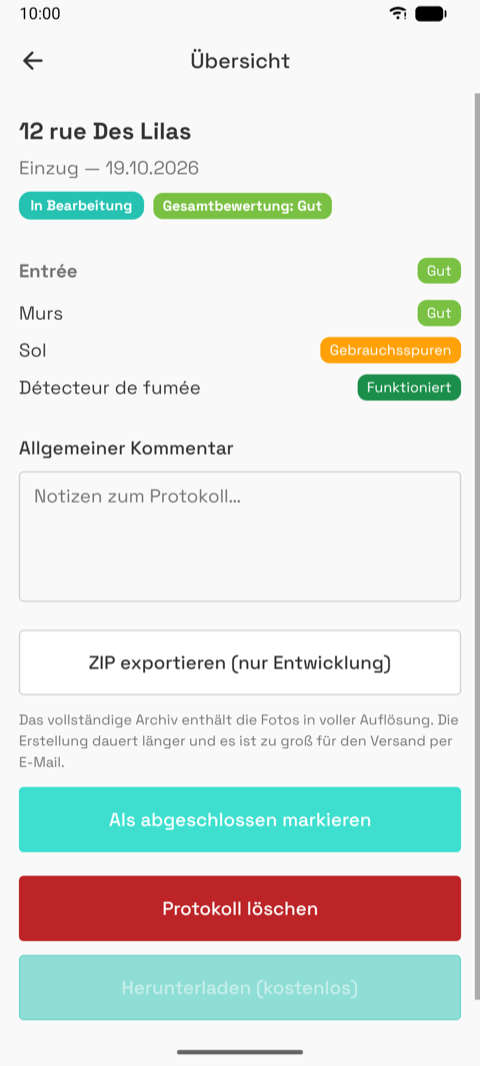
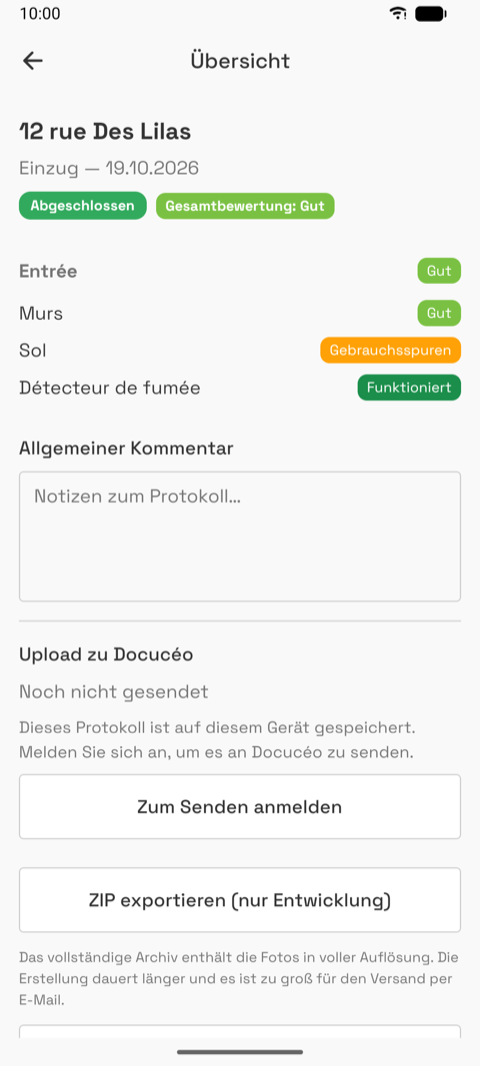
- Summary. Status and overall grade pills, per-room and per-element grades, comment, then
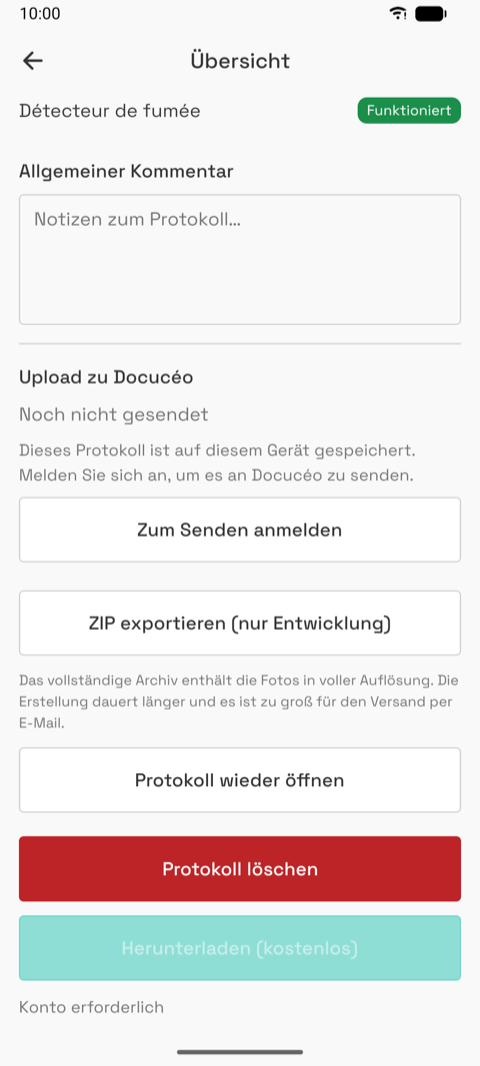
the actions. As a guest the upload row says "sign in to send" and the free download is
disabled with "Account required".
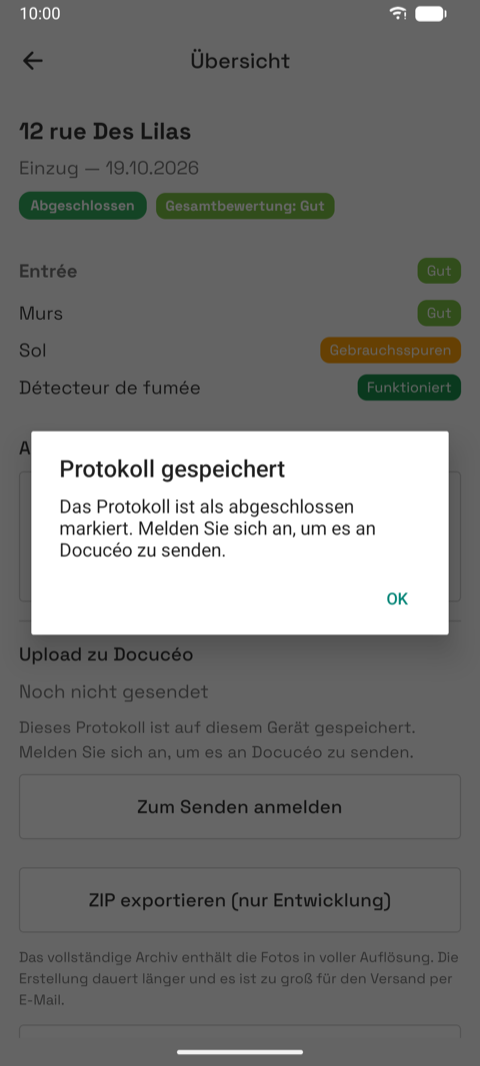
- Mark as completed → confirmation → "saved" info. Home now shows the row as completed
with a "Create check-out" button.

B. Check-out from a check-in
- Home → "Create check-out" on a completed check-in. The exit is created with the same unit, landlord, tenants, rooms, keys and meters, and every element pre-filled with the entry grade.
- The editor opens directly. Rooms show the entry progress copied.
- In a room, each element shows "Check-in:
" and the entry comment above the exit grid. Changing a grade marks it. 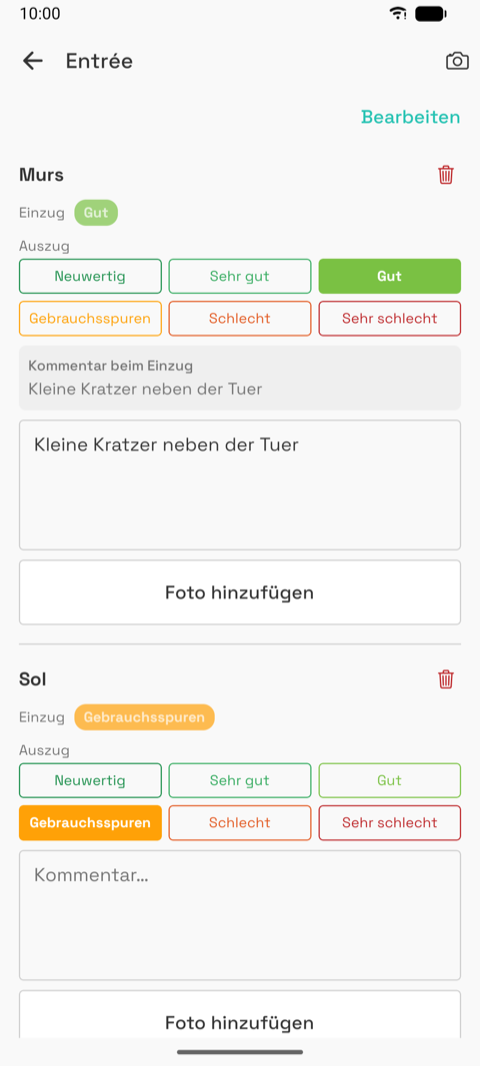

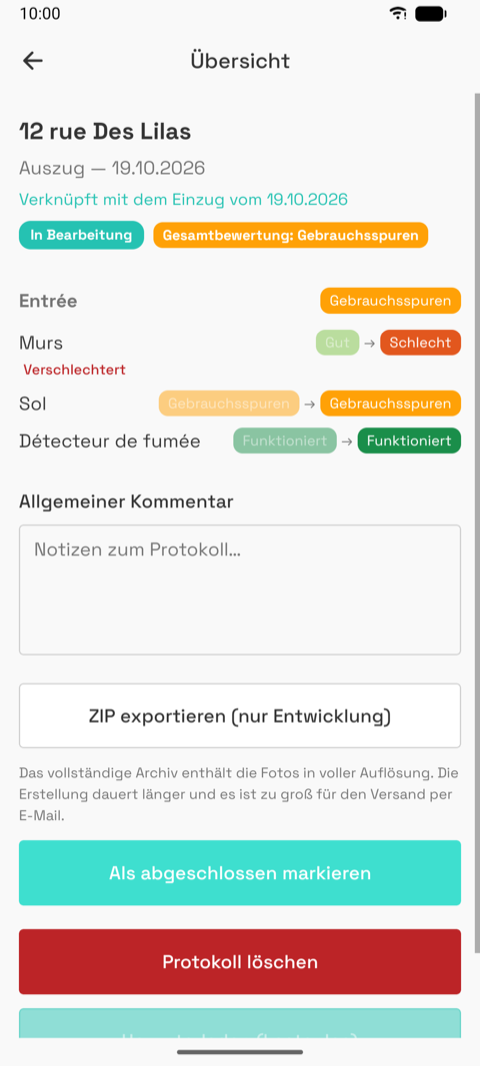
- The summary shows entry → exit per element with "degraded" / "improved", and the link to
the entry. Home shows the pair as one block.

C. Account, import and signature
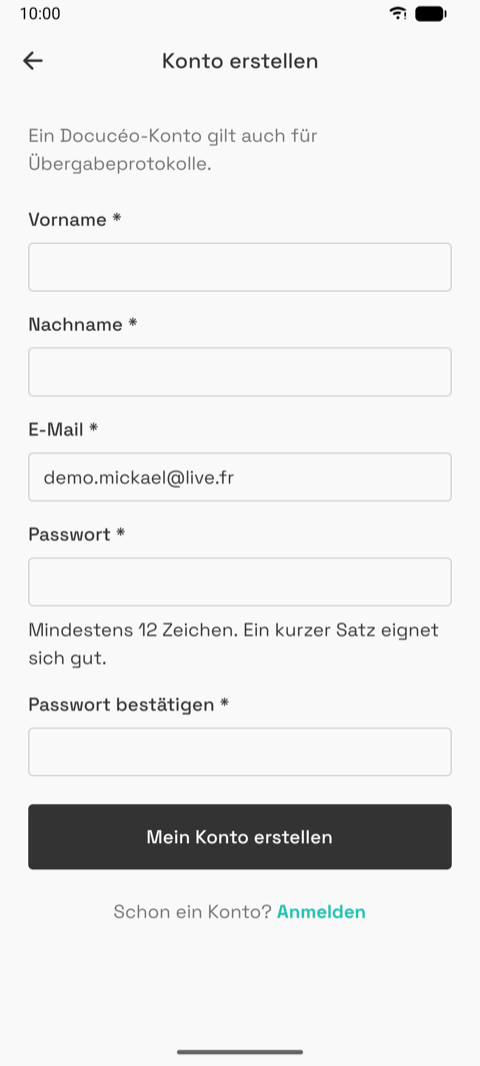
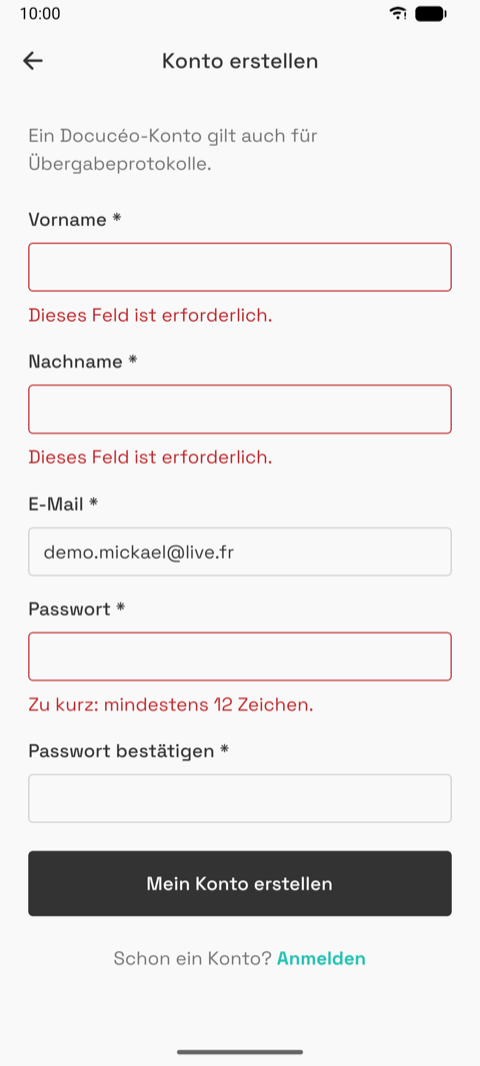
- Register (first name, last name, email, password with a 12-character rule) →
verify pending (the link opens in the browser on Docucéo) → login.
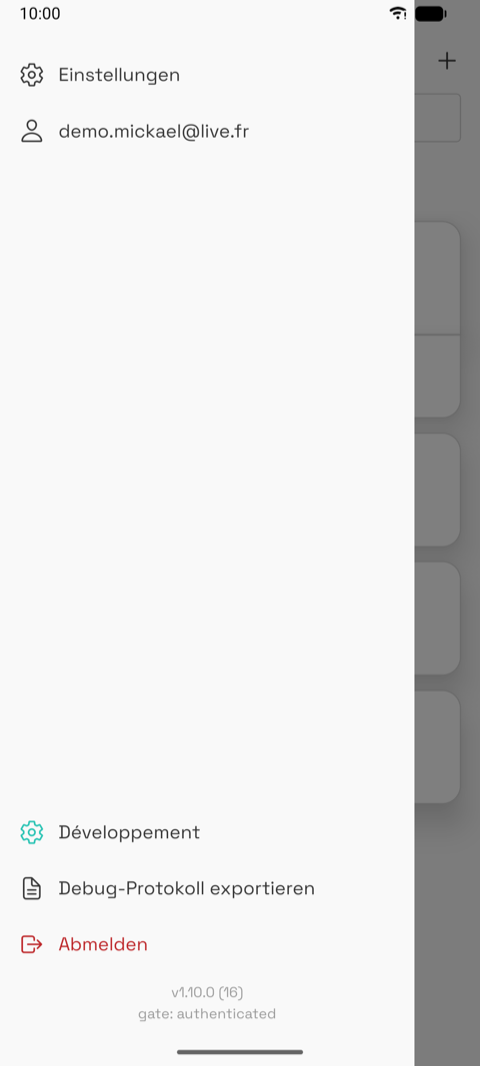
- Signed in. The drawer shows the email and "Log out"; Home gains the remote-only rows
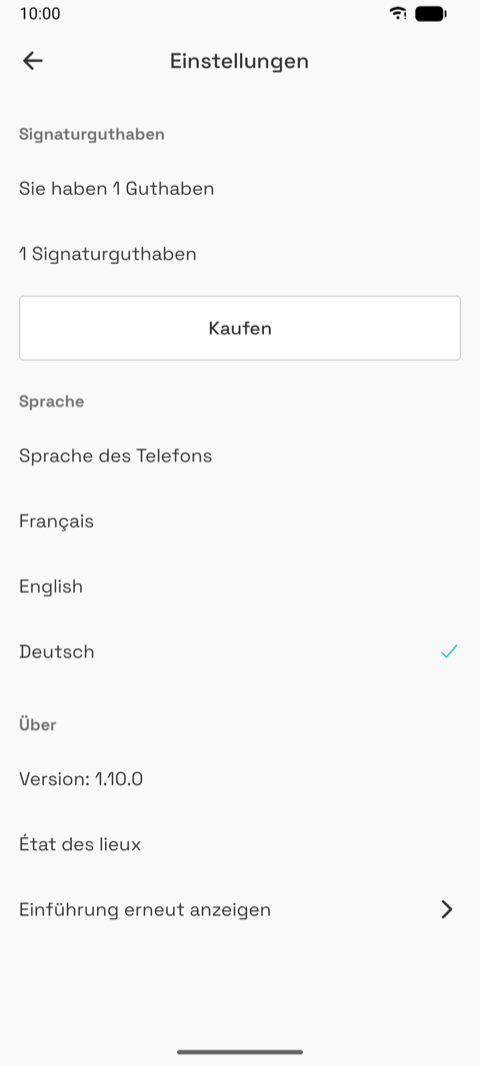
("Sur Docucéo") and the cloud icons; Settings shows the credit balance.

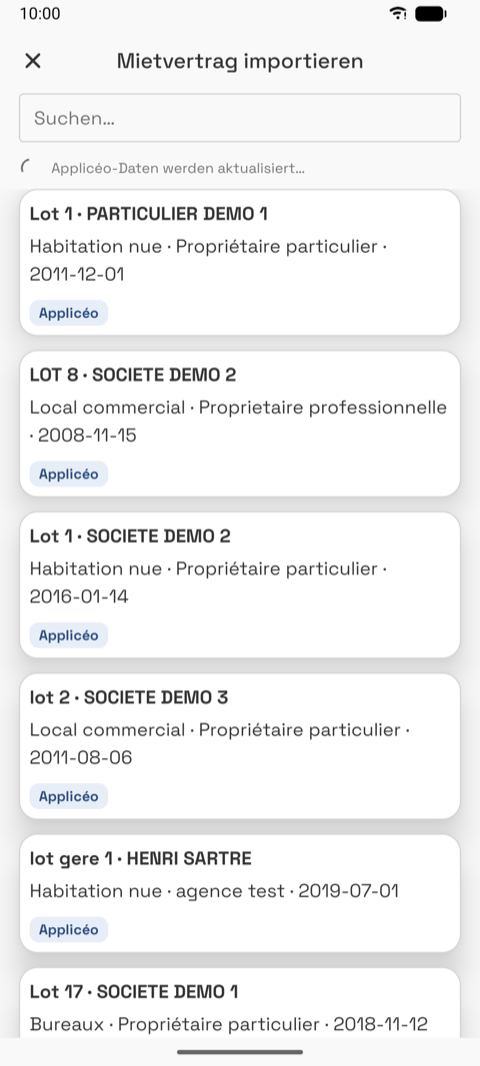
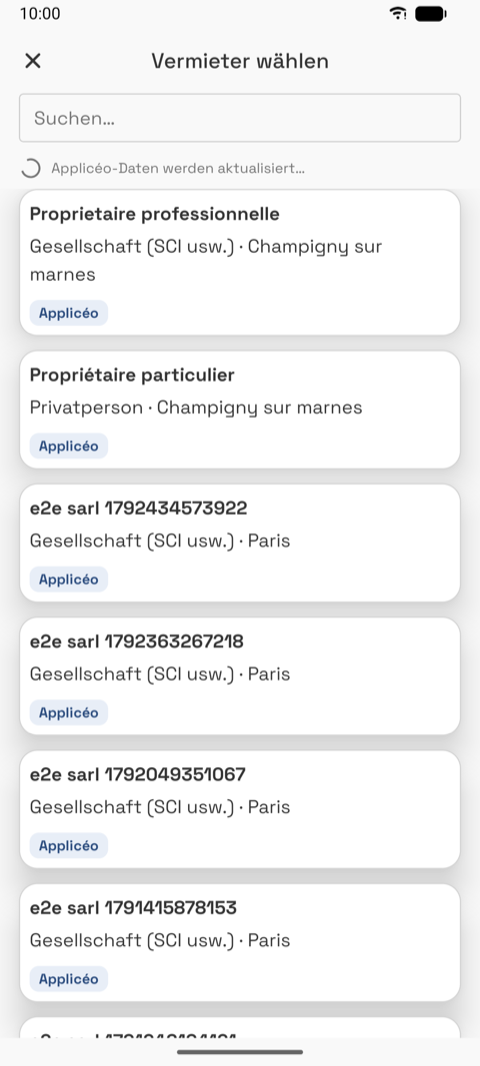
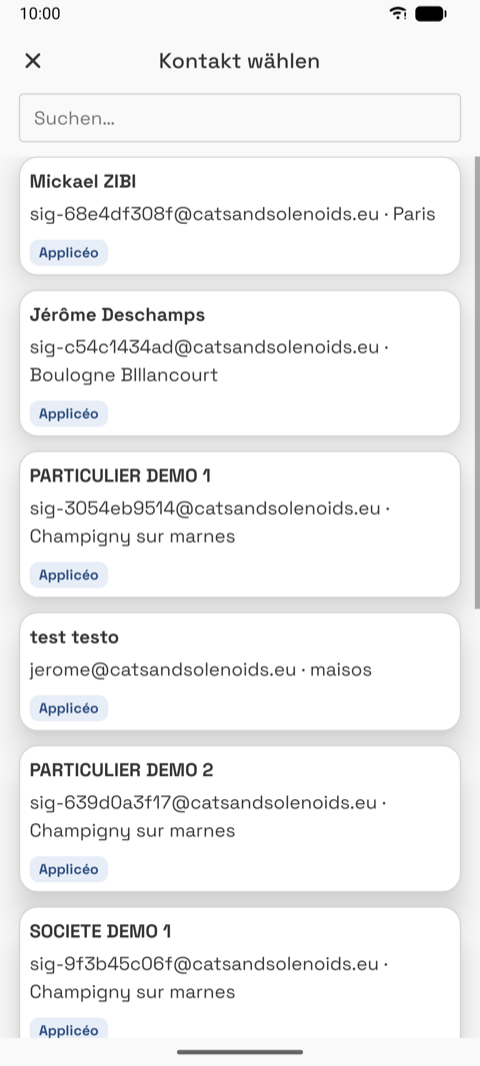
- Import. "+" → from a lease / from a unit → the remote picker lists Appliceo and
Docucéo records with a search field and an origin badge. Picking a lease pre-fills the whole
wizard.
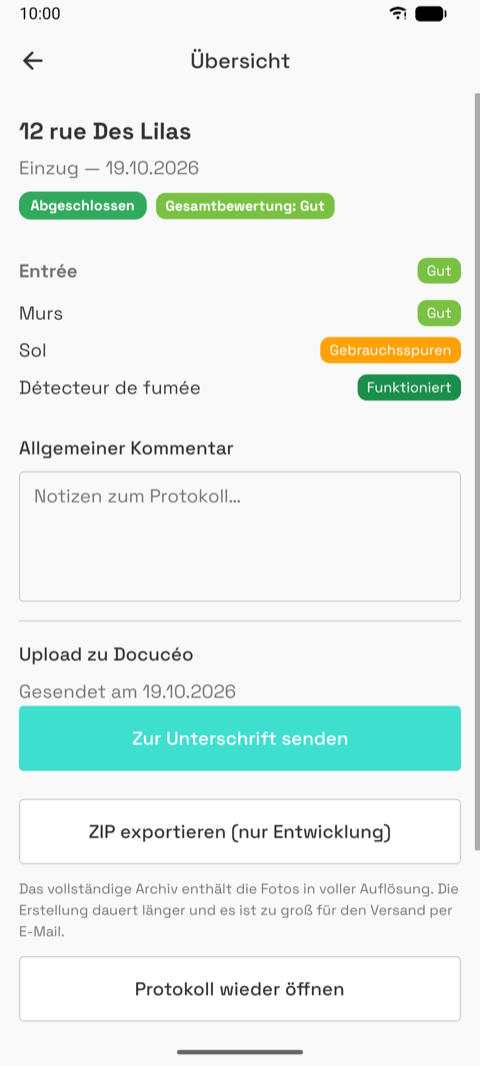
- Upload. Marking an inspection completed uploads it ("Upload to Docucéo: sent on …").
- Send for signature. One block per signer with an editable email (format, test domain
and mail-server checks), the credit balance, the cost line, the button. After sending, the
inspection is locked and the summary shows the signer statuses.

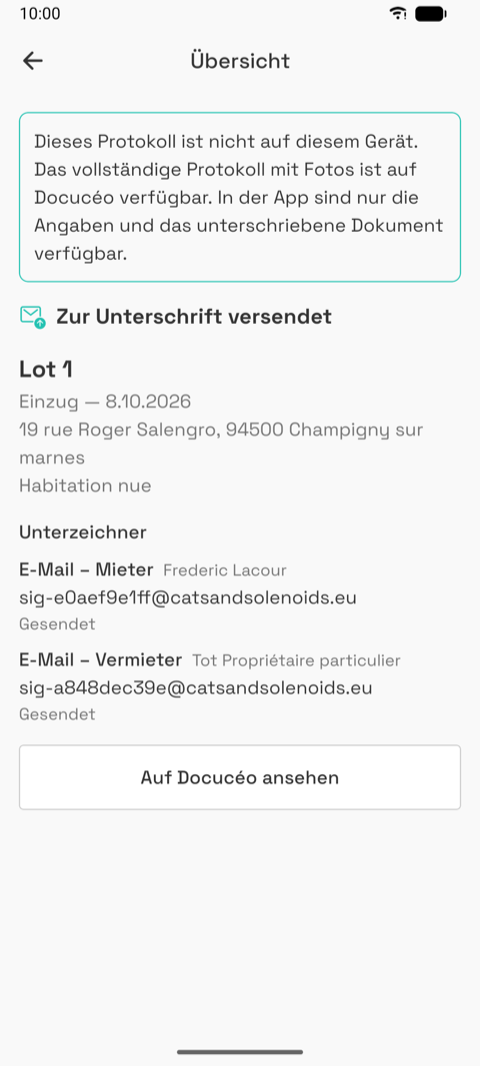
- Remote-only inspection. A banner explains the inspection is not on this phone; status,
header, signers with their status, signed files, "View on Docucéo".
D. Photo-rich inspection (demo data)
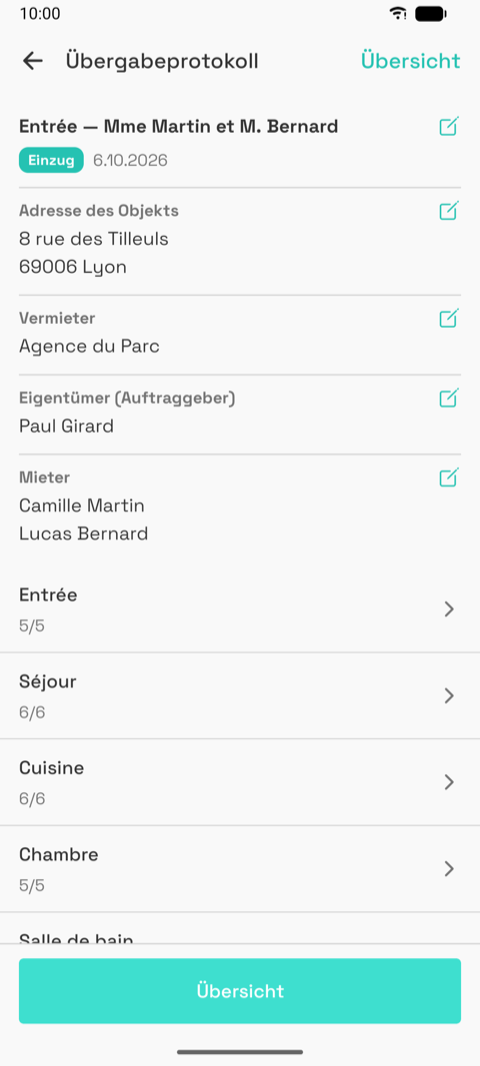
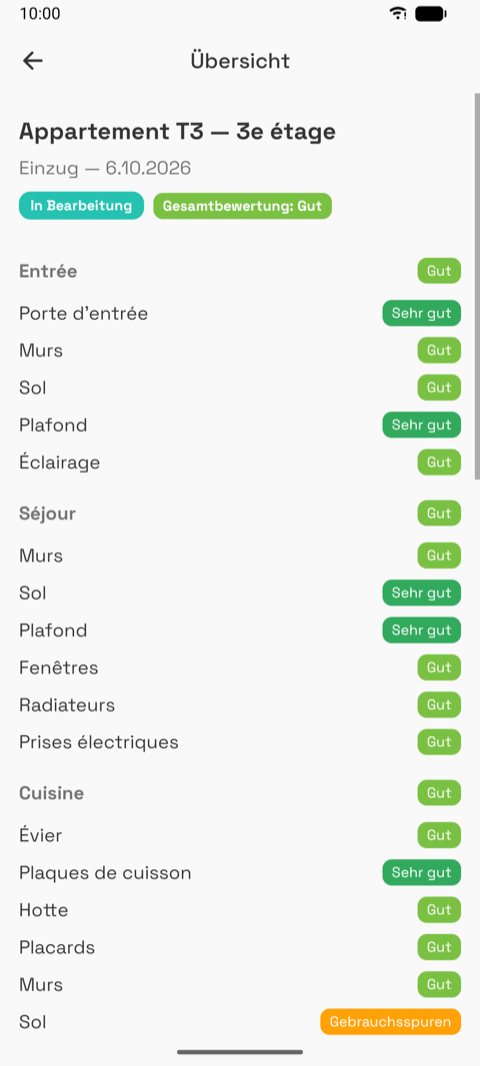
A completed inspection with photos, an agency landlord with an owner, two tenants, custom keys.



E. Furnished let
The type step has a "Furnished" switch; the editor then carries a furniture inventory, grouped
by room and category, with a present / absent and quantity per item.


05 — Screens
Screenshots first, then a few lines: what it is for, what the user does, states, rough edges.
00 — Update notice
- Shown before anything else when an app update has to erase local data. Rare by design.
- Unstyled on purpose (the app's theme is not loaded yet).
- Rough: appears on a fresh install too, where there is nothing to erase.
01 — Intro slides
| 1 Inspect | 2 Connect | 3 Sign | 4 Ready |
|---|---|---|---|
|
|
|
|
- Four slides on first launch, again once when a release announces something, replayable from Settings. Skip on slides 1 to 3.
- The only place the value proposition is stated inside the app.
- Illustrations are drawn in code, animated. Placeholders: yours to replace (SVG or Lottie).
02 — Login and guest entry
| Login | Validation | Guest sheet |
|---|---|---|
|
 |
|
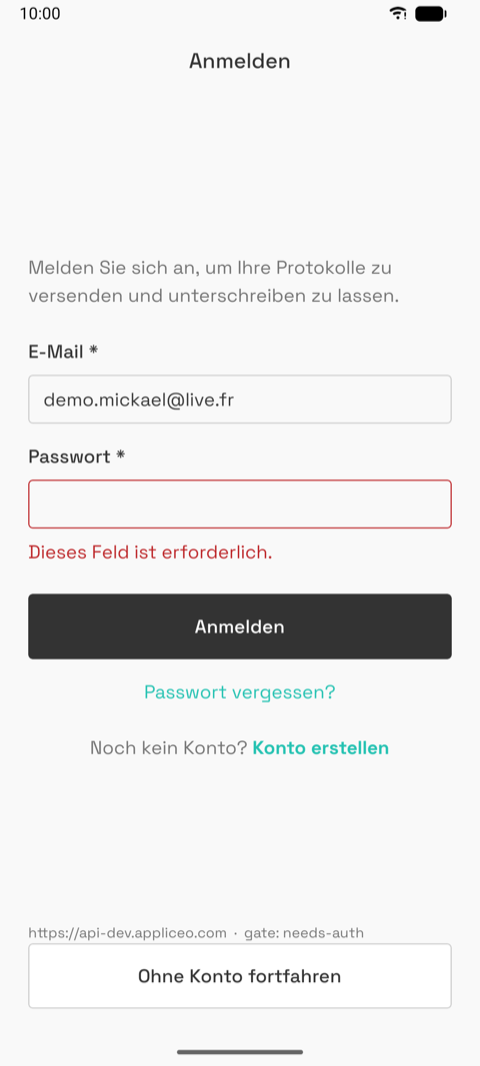
- First screen without a session; also after logout and from the drawer as a guest. The last email is remembered.
- Email, password, "Log in", "Forgot password?", "Create an account", and at the bottom "Continue without an account".
- The guest sheet states the two limits (no export, no signature) and offers create / log in / continue anyway.
- Errors: offline, too many attempts (countdown), tenant account, generic.
- Rough: the dark button is the framework default; every other primary action is teal.
03 — Register
| Empty | Validation |
|---|---|
|
|
- First name, last name, email, password (12 characters minimum, specific problems named: too common, sequential, contains your name…), confirmation.
- The account is shared with Docucéo; the subtitle says so.
- After submit the account is dormant until the emailed link is opened: next screen is "verify your email". No automatic login.
- An email already known to the older Appliceo product offers "Log in with Appliceo" instead.
04 — Verify pending, forgot password
- Verify pending (not captured): "We sent a link to
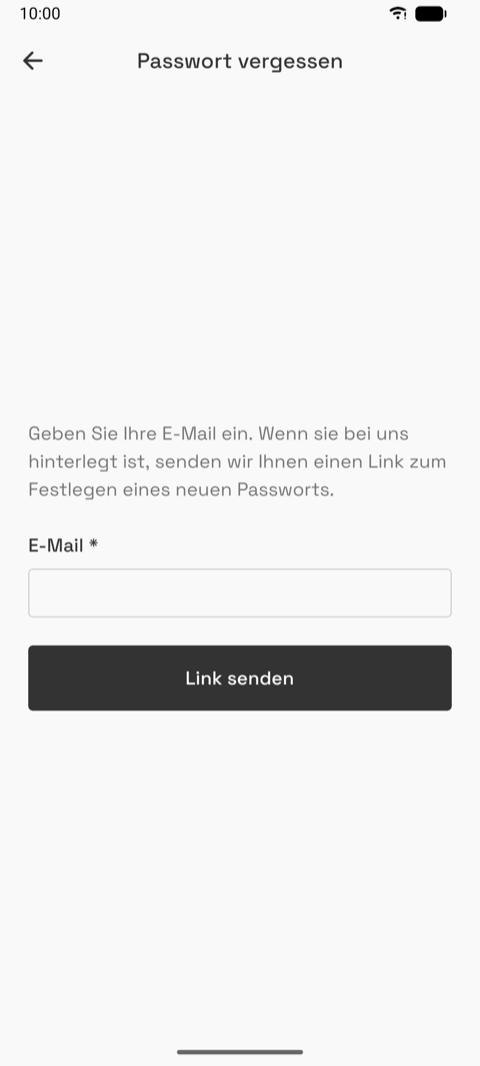
", the link opens in the browser, "Resend" with a 60-second cooldown, "I have confirmed, log in". - Forgot password: email, "Send link", then a neutral confirmation that never says whether the email exists. The reset itself happens on Docucéo in the browser.
05 — Home
| Empty (guest) | No match | "+" sheet |
|---|---|---|
|
 |
|
| In progress | Completed, "Create check-out" | Move-in + move-out pair |
|---|---|---|
 |
|
|
| Signed in, with remote-only rows | With demo data |
|---|---|
|
 |
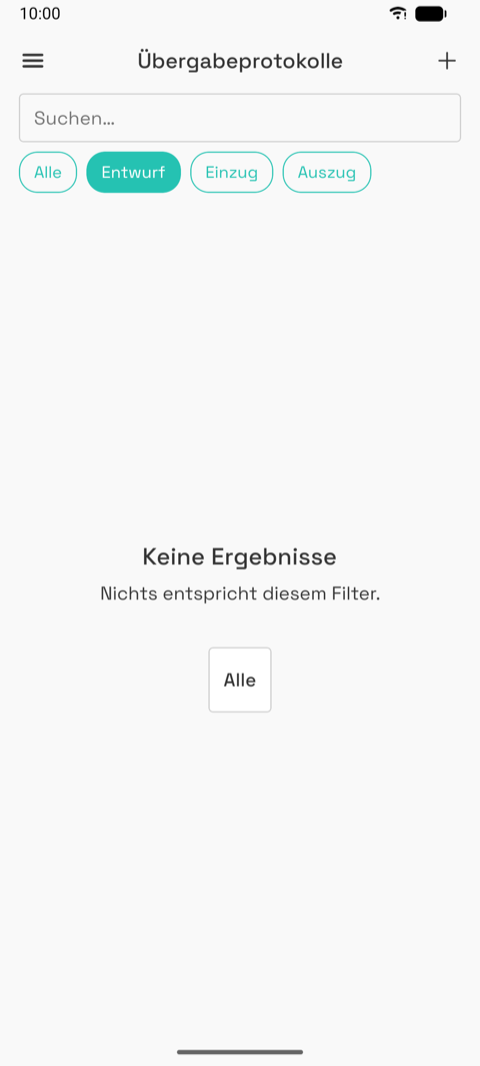
- The root. Menu button, title, "+", search, filter chips (All, Draft, Check-in, Check-out), the list.
- Each card: name (auto-generated "address – landlord – tenant" until renamed), type, date, property type, status pill, cloud icon (uploaded or not), envelope icon (signature stage), "Sur Docucéo" for remote-only rows, "Invalid email" when a signer bounced, "Create check-out" on a completed move-in.
- A move-out sits under its move-in in the same card.
- Tap: draft → wizard, in progress → editor, completed / locked / remote → summary.
- "+" offers: from a lease, from a check-in, from a property, new. The first three need an account.
- Rough: up to five badges per card, weak hierarchy; the auto name is long; renaming lives in the editor.
06 — Drawer
| Guest | Signed in |
|---|---|
 |
|
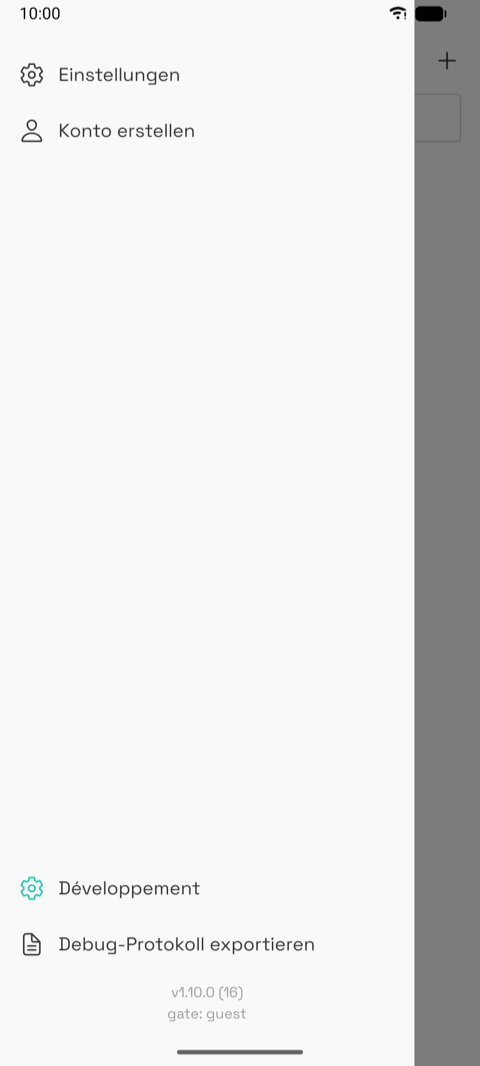
- From the Home menu button or an edge swipe. Settings; the account (email, or "Create an account" for a guest); upload state; "Export debug log"; "Log out"; version.
- "Développement" appears on test builds only.
- Thin: two real entries for a guest, three signed in. The only way to Settings and logout.
07 — Picker
| Guest wall | Leases | Landlords | Contacts |
|---|---|---|---|
|
|
|
|
- A modal list to pick a lease, a property, a landlord or a contact from the account's data (Appliceo, Docucéo) or from this phone.
- Close, title by kind, optional "Create…" first row, search, "refreshing Appliceo data…", then cards: name, one descriptive line, origin badge.
- A lease pre-fills the whole wizard. A pick is copied to the phone, so it works offline after.
- Guest: a sign-in wall instead of the list. Also: loading, empty, connection error with retry.
08 — Property: list, detail, form
| List | Detail | Form |
|---|---|---|
 |
 |
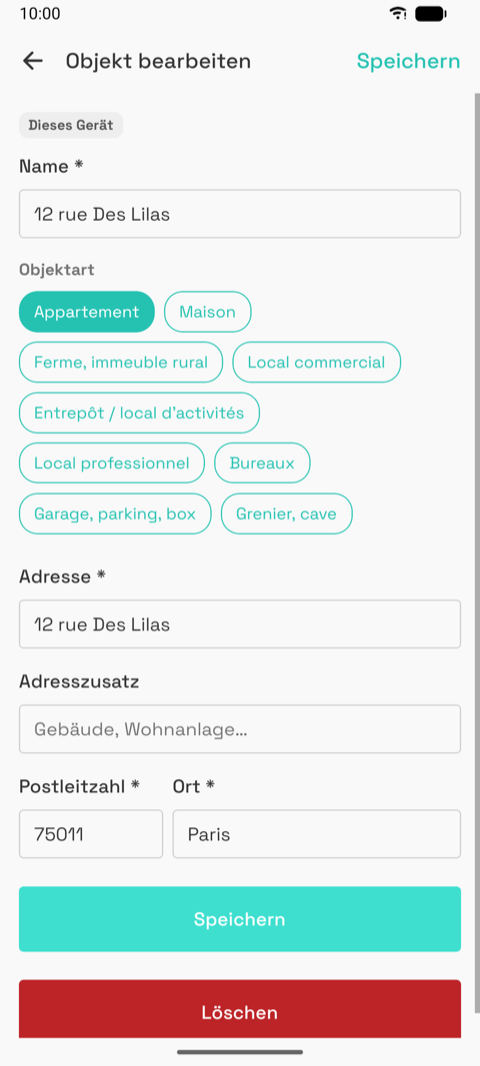 |
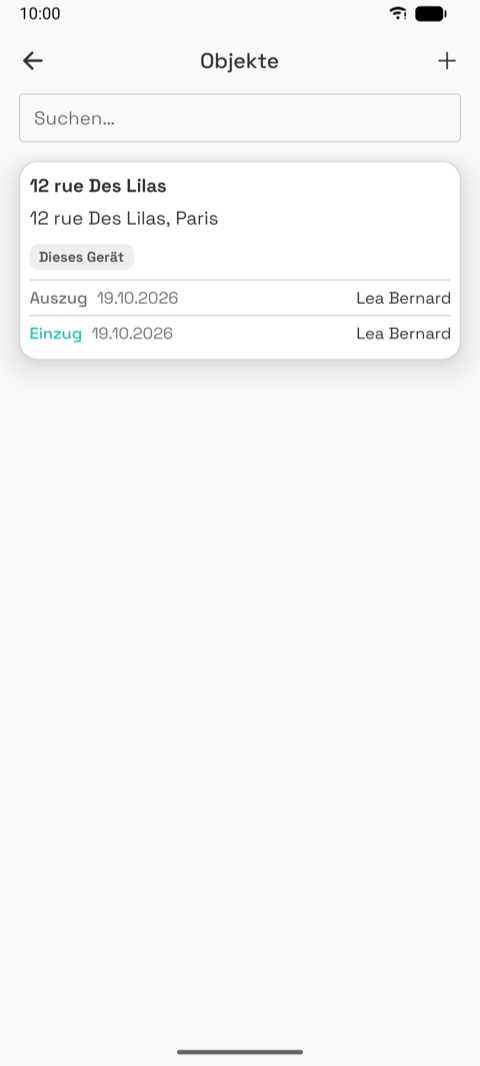
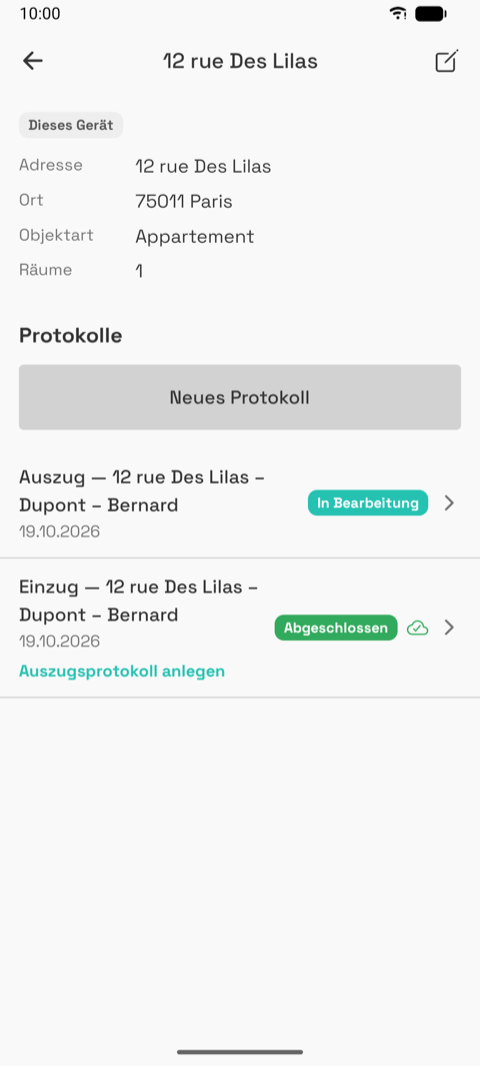
- The property-first way in: "+" → from a property. The list tab is hidden on Home today.
- Detail: address, city, type, rooms count, landlord, its inspections, "New inspection", a pen to edit.
- Form: name, address, surface, rooms count, property type chips, "Save", red "Delete". An imported property edited here gets "Modified locally".
09 — Tenants of an inspection

- From the editor's tenant pen. One card per tenant with a ×, "Add" (picker) and "Create" (contact form). Changes apply immediately.
- The landlord and owner are edited through their own forms, not a list like this.
10 — New inspection wizard
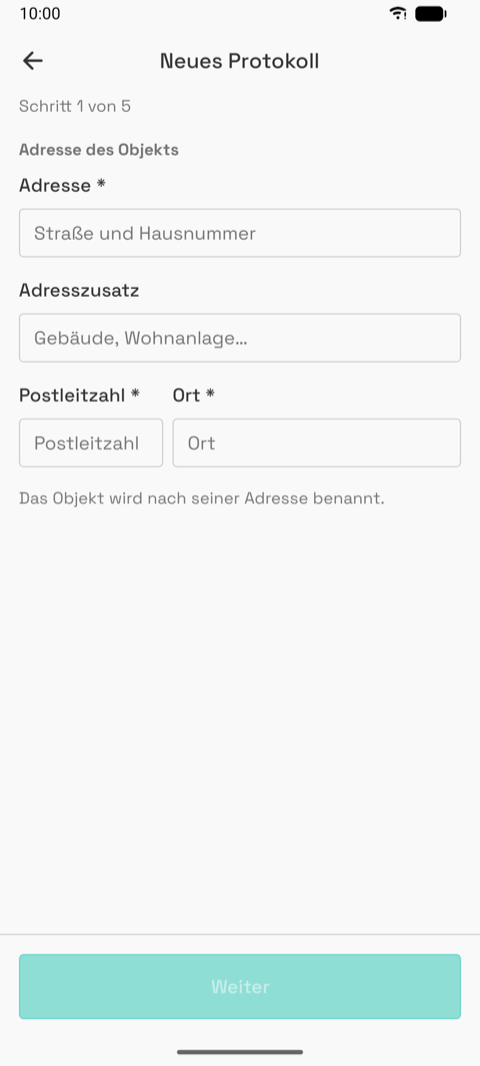
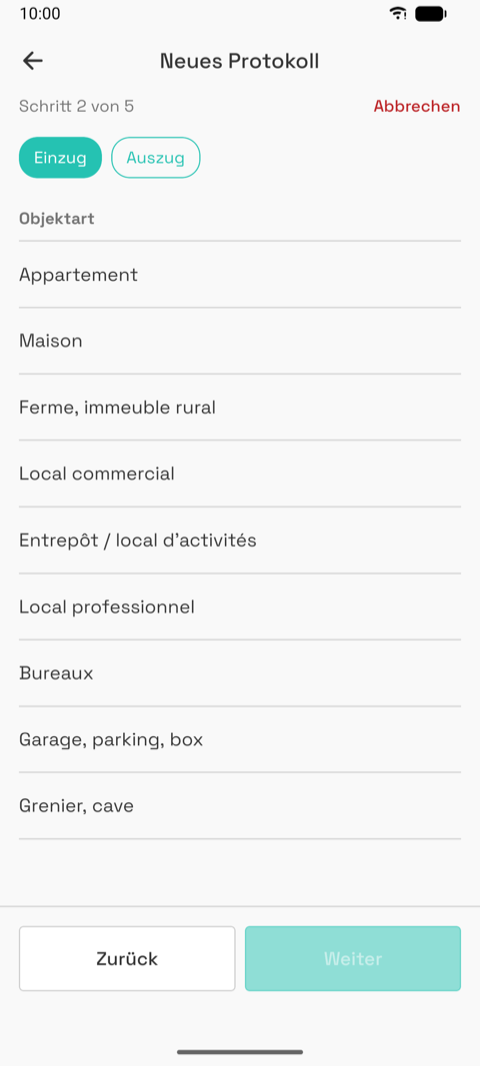
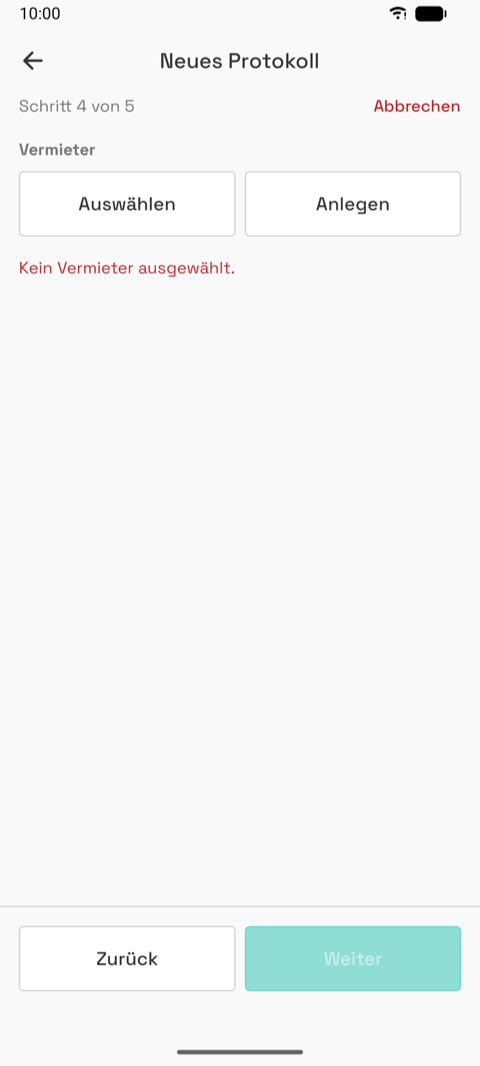
Five steps: address → type → rooms → landlord → tenants. Every way in lands here; a lease import pre-fills most of it; a move-out linked to a move-in skips the rooms step. The draft is saved from the first field and reopens where it stopped. "Next" stays dimmed until the step is valid; a red "Cancel" appears once a draft exists.
1 Address
| Empty | Validation | Resumed draft | Filled |
|---|---|---|---|
 |
|
 |
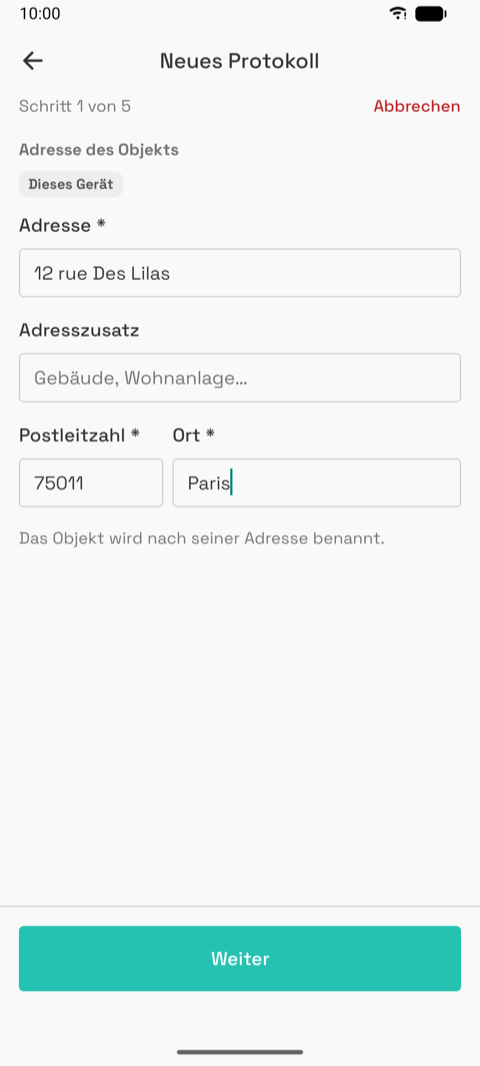 |
The property is named after its address.
2 Type
| List | Selected |
|---|---|
 |
|
Check-in / check-out; for a check-out, which check-in to take over; the property type (French labels from the client's list).
3 Rooms
| Default | Furnished |
|---|---|
|
|
Furnished switch, a size band that pre-selects, one switch per room, steppers for rooms that repeat. At least one room.
4 Landlord
| Empty | Chosen | Imported, fields missing | Fixed |
|---|---|---|---|
 |
|
 |
 |
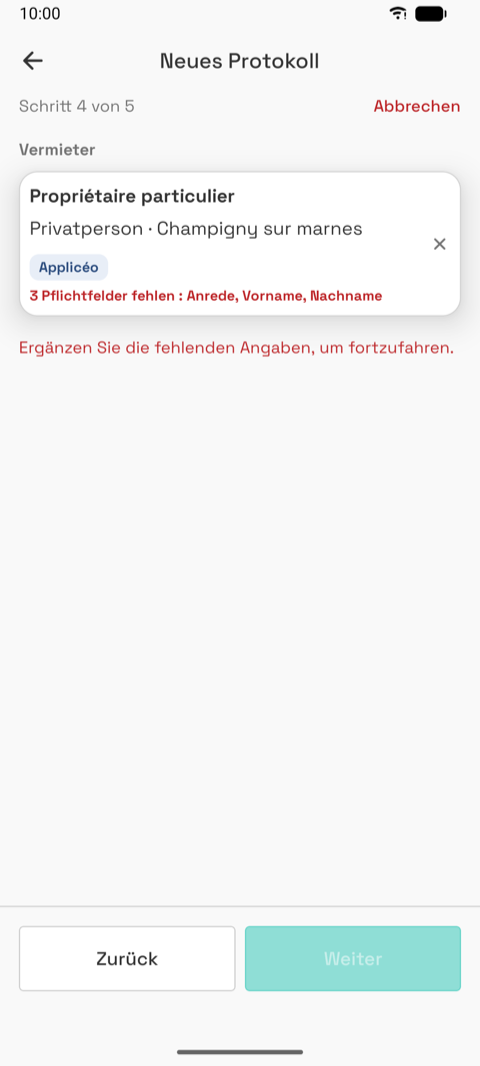
"Choose" or "Create". An agency also names the owner it acts for. Missing fields show in red on the card and block the step.
5 Tenants
| Empty | Fields missing | Filled |
|---|---|---|
 |
 |
|
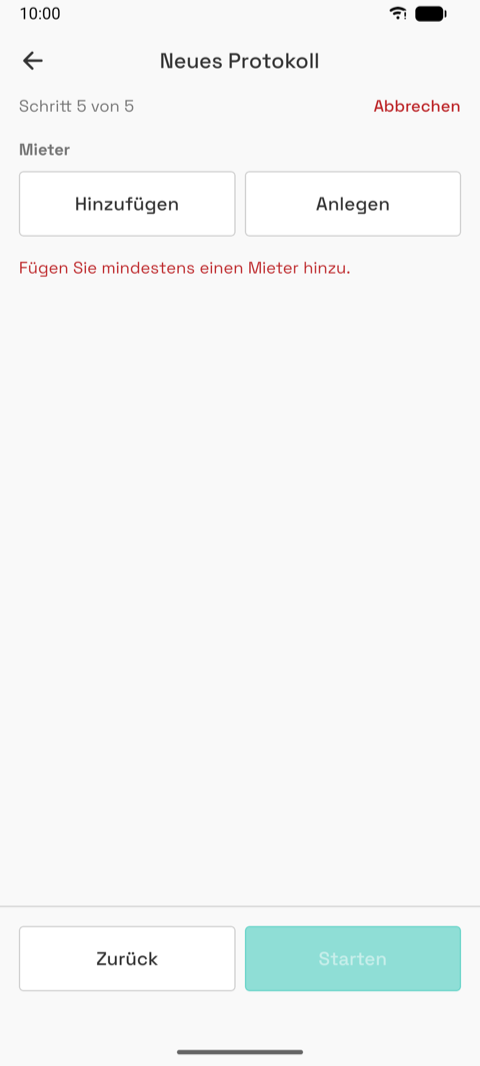
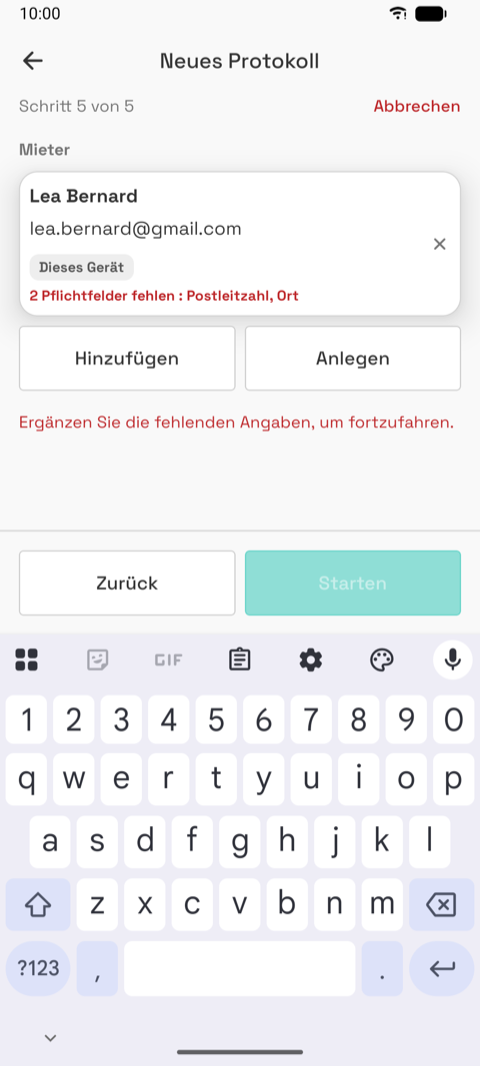
"Add" or "Create", at least one tenant; missing fields only warn. "Start" opens the editor.
11 — Landlord form
| Individual | Company | Agency |
|---|---|---|
 |
 |
 |
| Filled | Email rejected | Imported record |
|---|---|---|
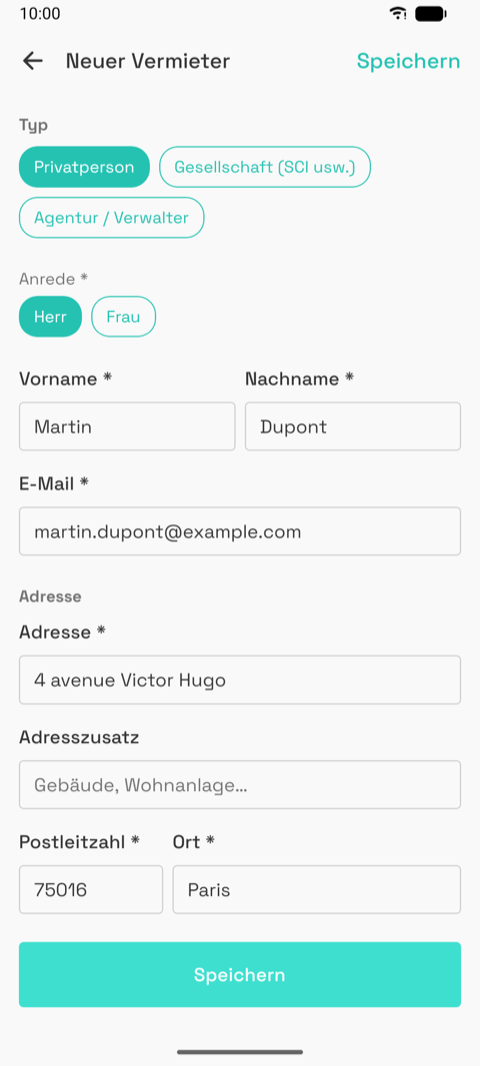 |
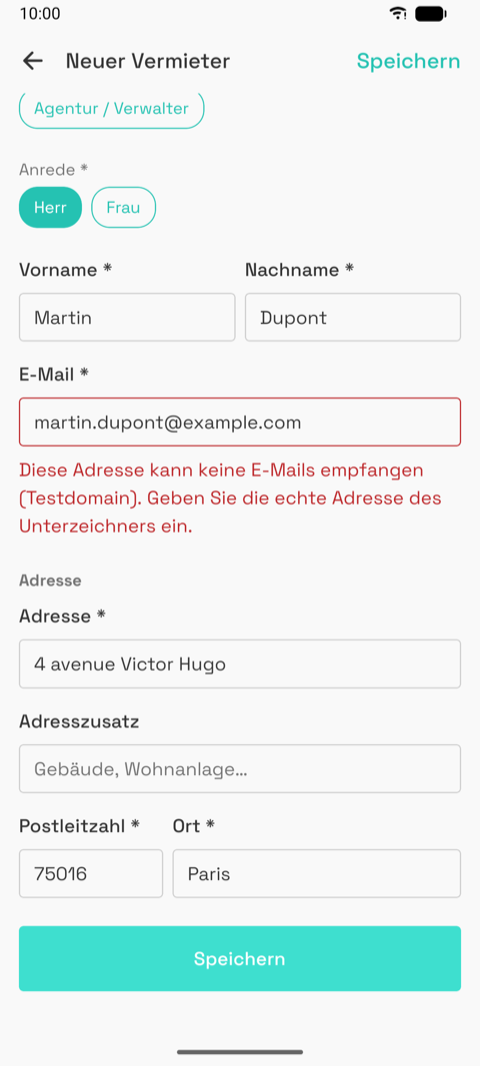 |
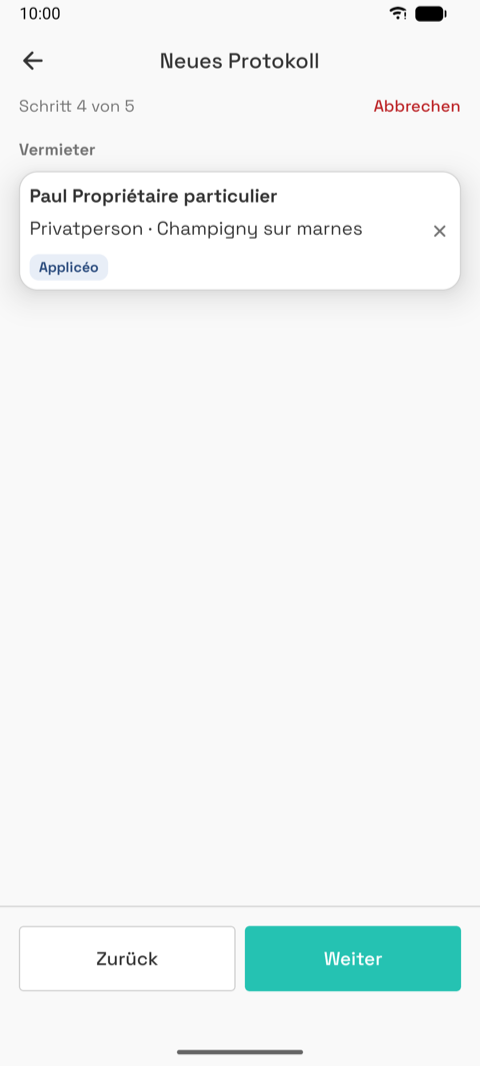 |
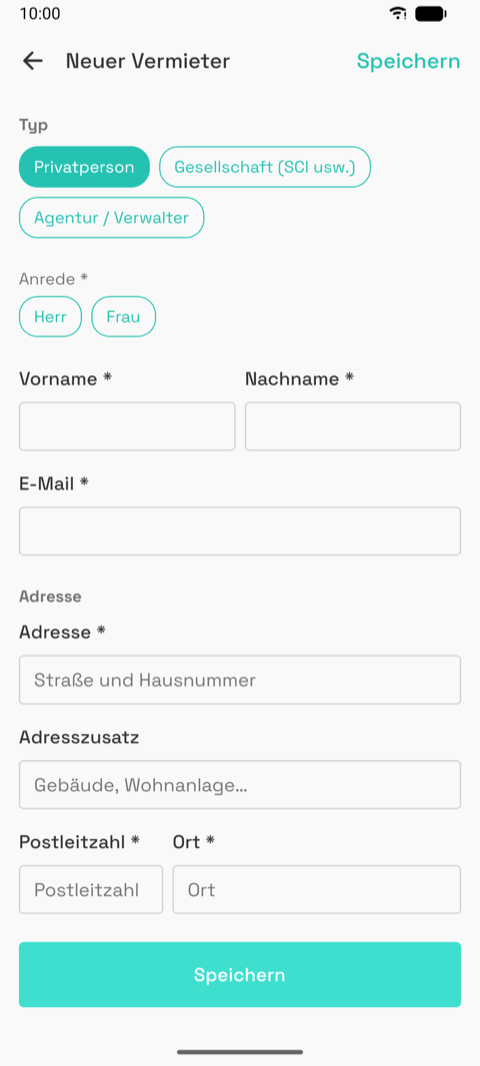
- Three types with their own fields. Individual: civility, first and last name. Company and agency: company name, legal form (native picker), registration number, capital, representative; agencies add professional cards and ORIAS numbers.
- Email is checked hard (syntax, test domains, the domain must receive mail): a wrong address would block the signature later.
- "Save" in the header and at the bottom; "Choose another landlord" when opened from an inspection; red "Delete".
12 — Contact form (tenant, owner)
| Person | Company | Filled |
|---|---|---|
 |
 |
 |
- Same shape as the landlord form, two types. Email checked the same way. Address block.
- Serves tenants and owners; only the title and the caller differ.
13 — Inspection editor
| Fresh | Rooms edit mode | Add room, keys, meters | Comment, general photos |
|---|---|---|---|
|
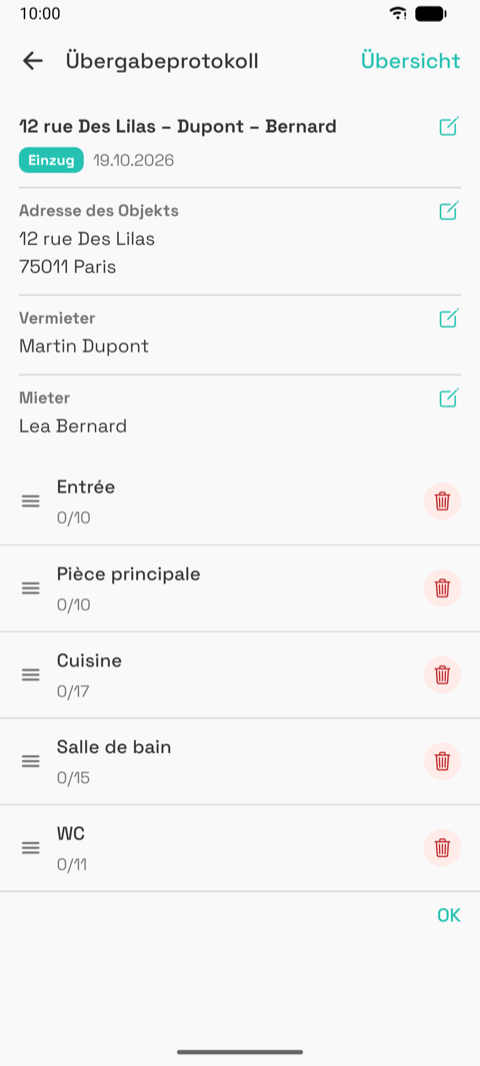 |
|
 |
| Add room sheet | Rename sheet | Progress after one room |
|---|---|---|
 |
 |
 |
| Demo: agency + owner, two tenants | Custom keys | Furniture | Furniture group open |
|---|---|---|---|
|
|
|
|
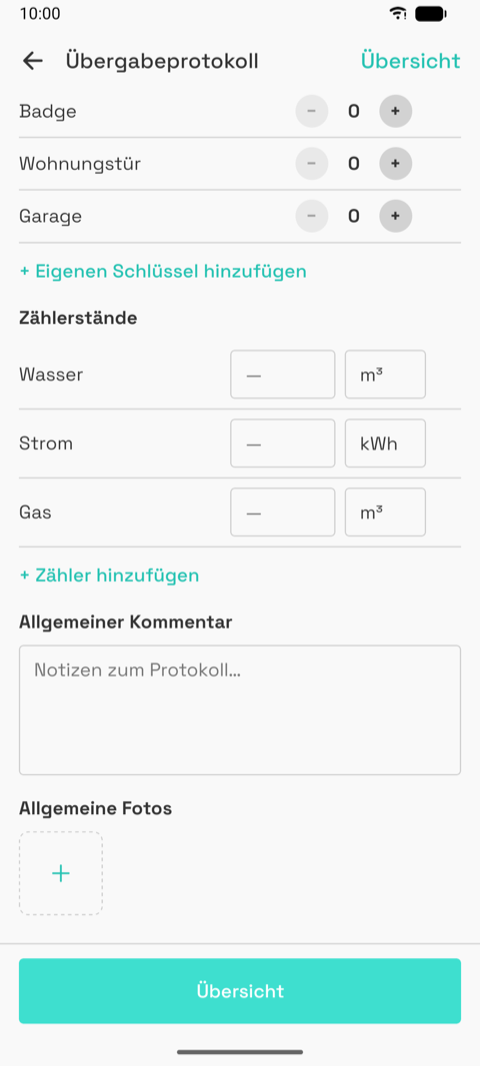
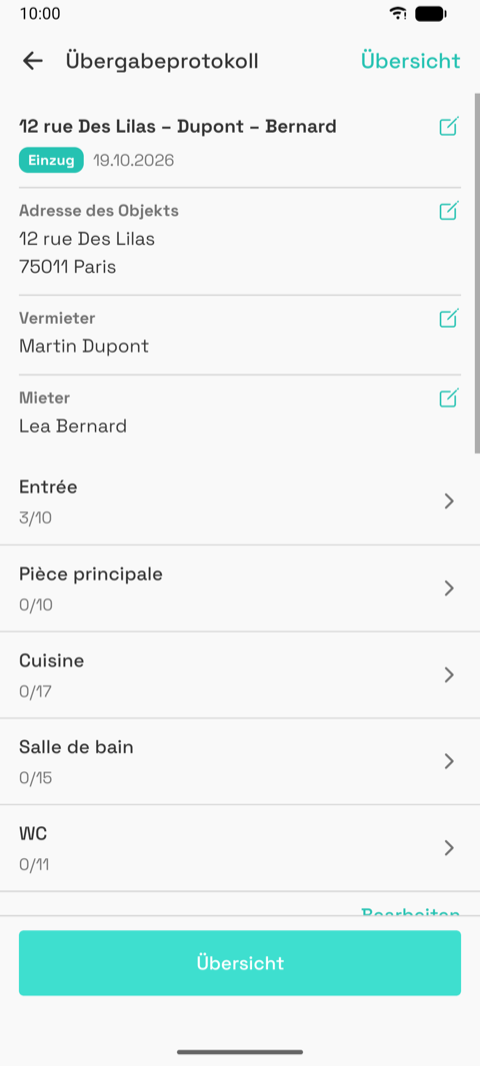
- The hub of an inspection in progress: who and where (each row with a pen), the rooms with "done/total", then add room, furniture (furnished only), keys, meters, comment, general photos, and a sticky "Summary" button.
- "Edit" reorders or deletes rooms. "Add room" is a bottom sheet with suggestions, all types and a custom room.
- Locked (sent, signed): everything visible, nothing editable. Completed: the first edit asks for confirmation.
- Rough: long screen, keys and meters below the fold; two edit idioms (pens, text link); "3/10" counts elements touched, not rooms visited.
14 — Room
The screen used most, standing in the room, one hand.
| Empty | Graded | Functioning scale | Picked |
|---|---|---|---|
 |
|
 |
|
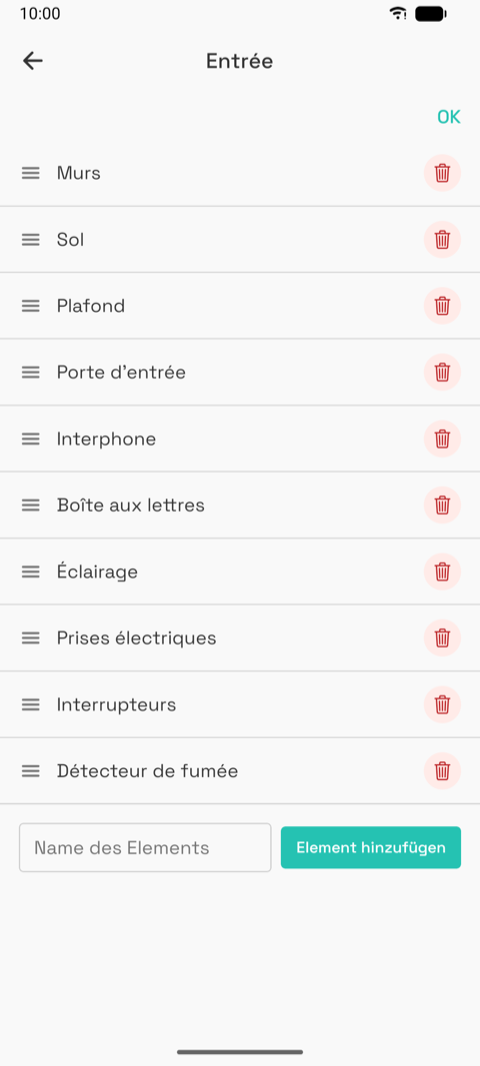
| Element edit mode | With a photo | Footer | Next room |
|---|---|---|---|
 |
|
|
 |
| Demo with photos | Scrolled | Photo strip |
|---|---|---|
|
 |
|
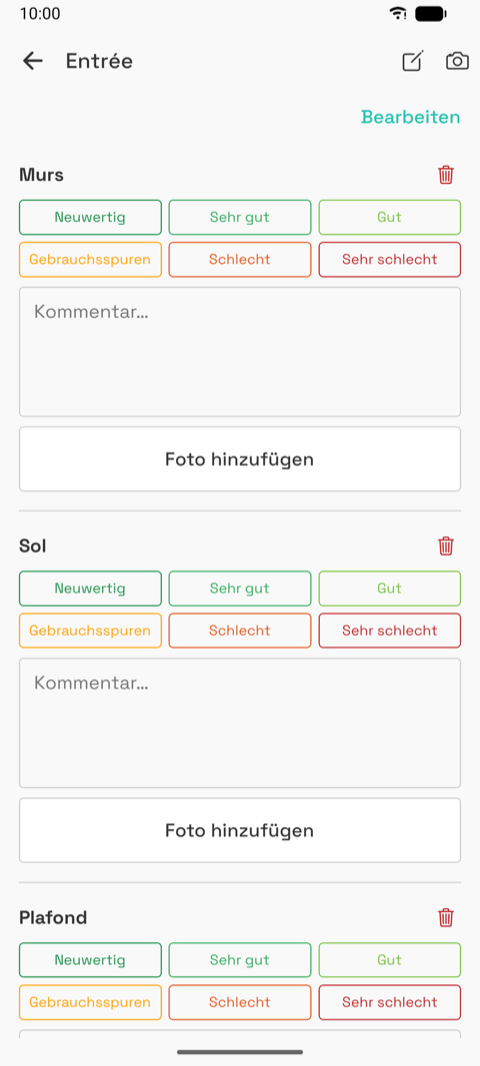
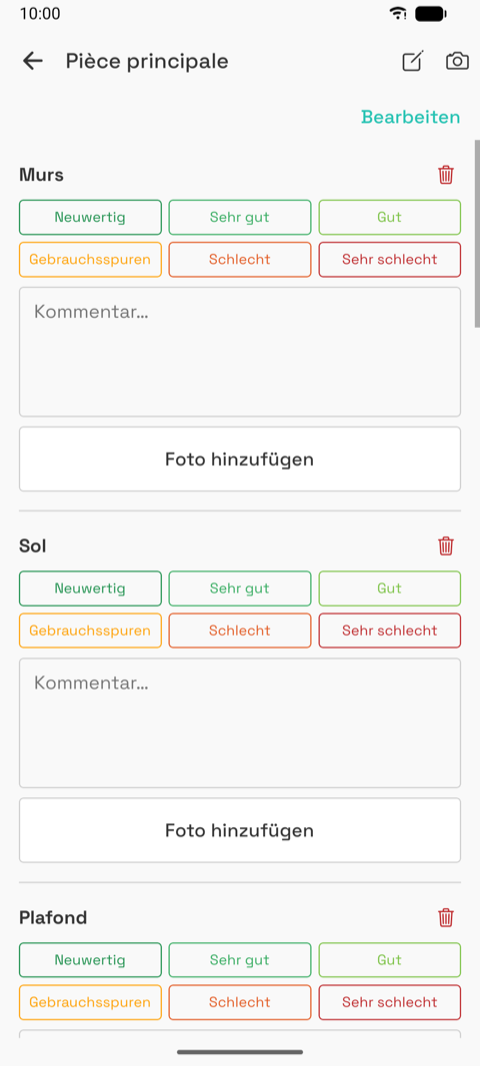
- Header: room name, a pen (rename), a camera (general photo of the room). "Edit" reorders, deletes or adds elements.
- Per element: the 2 × 3 grade pills (2 × 2 for equipment), a comment, "Add photo (n)".
- Footer: room comment, all photos grouped by element, general photos, then "Validate and go
to
" and a red "Delete room: " for rooms that do not exist. - Everything saves immediately. The last room returns to the editor.
- Rough: 10 to 17 elements, each 5 rows tall; the grid dominates even for untouched elements; a red trash icon on every element at all times; header icons compete with "Edit".
15 — Camera and photos
| Permission | OS dialog | Live | Review | Caption | Caption editor |
|---|---|---|---|---|---|
|
 |
|
 |
|
 |
- No permission: explanation, "Allow camera", "Pick from gallery".
- Live: full-bleed preview, close, gallery, shutter, flip. Review: the photo, a caption, "Save", "Retake". The camera layout is ours; the permission dialog is the OS.
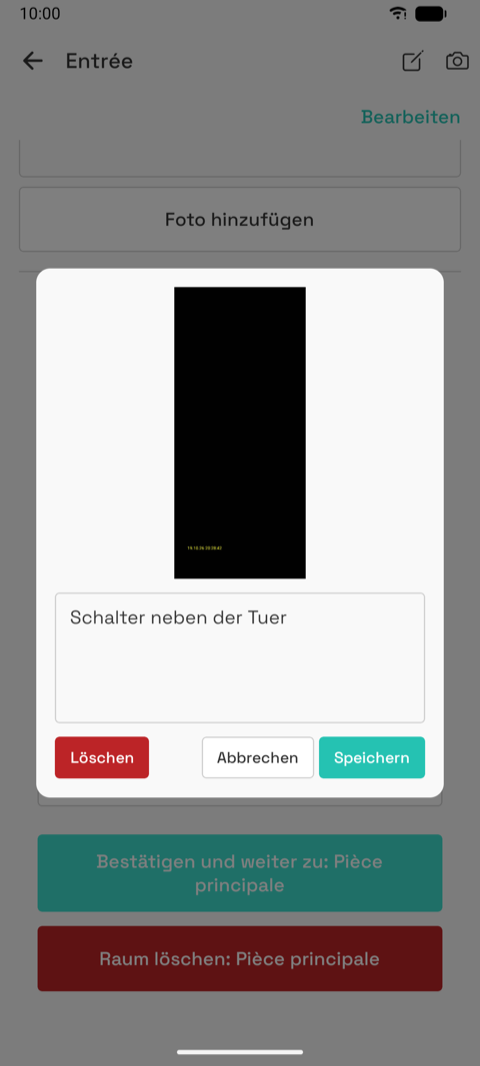
- Photos attach to an element, a room or the inspection. Tapping a thumbnail opens the caption editor (caption, Delete, Cancel, Save). A full-screen viewer exists.
- The emulator's fake camera makes the review look like a strip; real phones show the full frame.
16 — Summary
| In progress (guest) | Bottom | Complete dialog | Saved dialog |
|---|---|---|---|
|
 |
|
 |
| Completed (guest) | Bottom: sign in to send, reopen, download disabled | Completed, signed in: uploaded, send button |
|---|---|---|
|
|
|
| Demo: per-room grades | Keys recap | Bottom |
|---|---|---|
|
 |
|
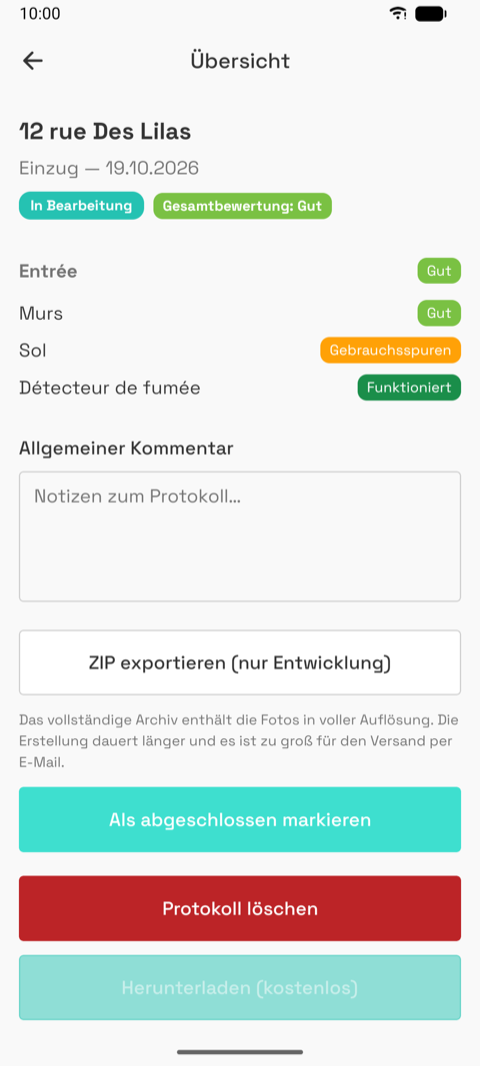
- Read-only overview plus every inspection-level action. Name, type and date, status pill, overall grade pill, then per room the average and each element's grade; keys with missing counts in red, meters, furniture changes; a notes field.
- Upload row: not sent / sending / sent on date / retry / "sign in to send".
- Buttons: "Send for signature" (signed in, completed), signed downloads when signed, "ZIP export (development only)", "Mark as completed" or "Reopen", red "Delete", "Download (free)" with "Account required" for guests.
- Rough: a long button stack mixing states; dialogs are native with French buttons in every language.
17 — Move-out and comparison
| Move-out editor | Room with the move-in grade | Degraded | Summary with changes | Home pair |
|---|---|---|---|---|
|
|
|
|
|
- Not a separate screen: editor, room and summary in move-out mode.
- Created from Home ("Create check-out") or in the wizard. Copies everything from the move-in, grades included.
- Room: "Check-in:
" and the old comment above each grid. Summary: old → new per element with "Degraded" or "Improved"; furniture missing or added; meter consumption. - Rough: pre-filled grades make an unvisited room look done.
20 — Settings
| Guest | Signed in |
|---|---|
 |
|
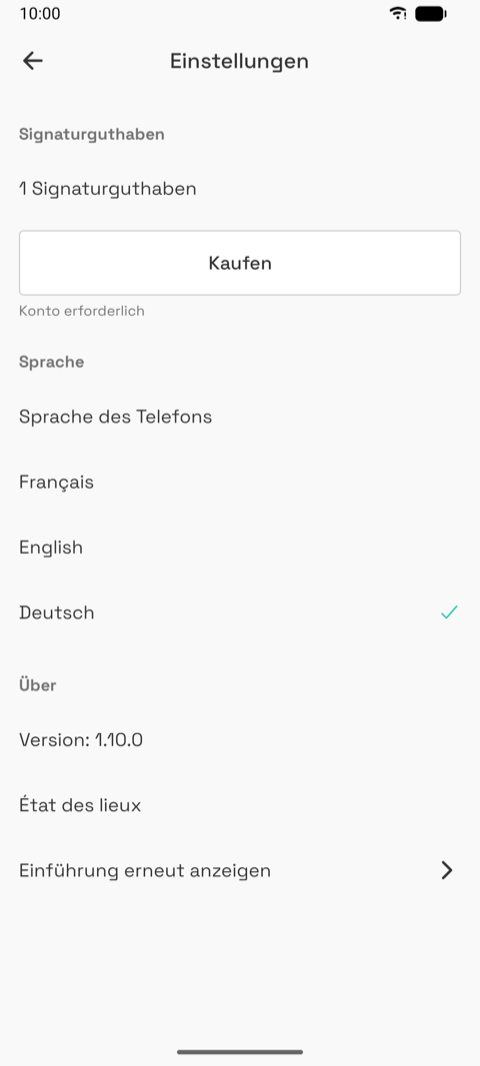
- Credits (balance; a "Buy" row on test builds), language (phone, Français, English, Deutsch), version, "Show the introduction again".
21 — Dev screen
 |
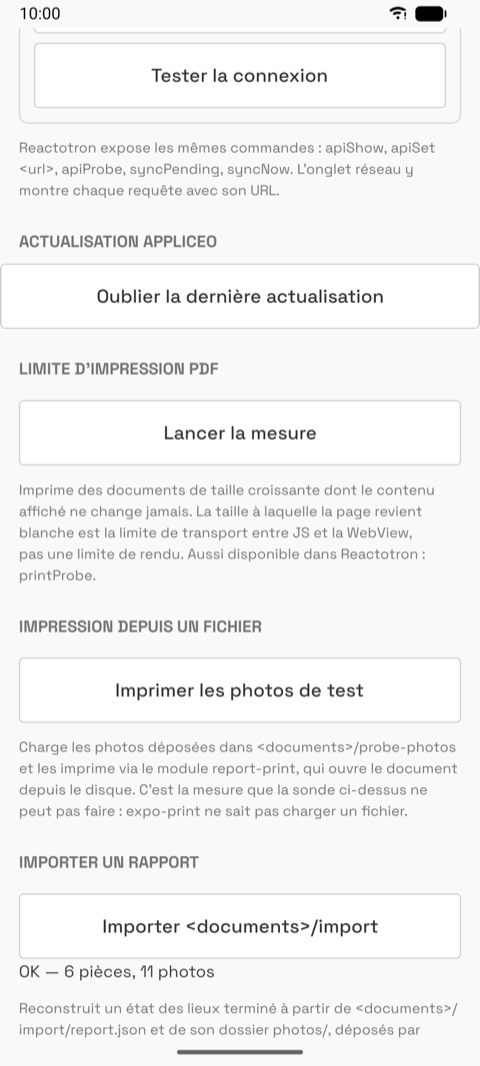 |
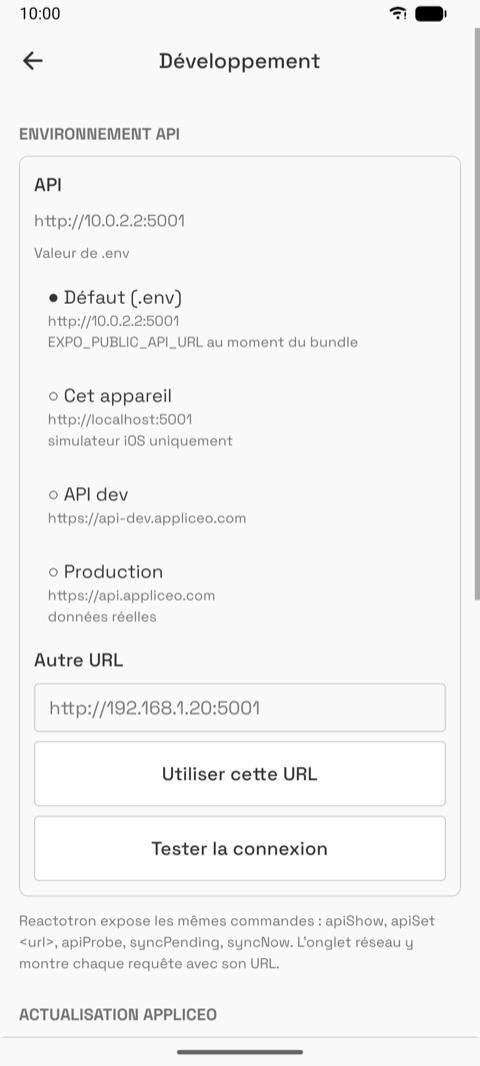
- Test builds only, French only, from the drawer. Developer tools (which server, demo data import). Ignore it when you meet it.
22 — Remote-only inspection
|
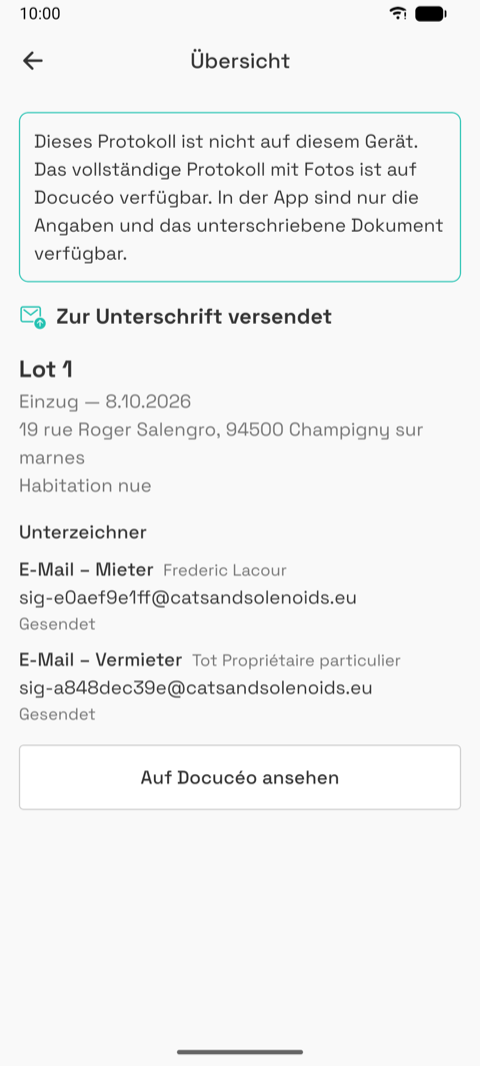 |
- An inspection that exists on the account but not on this phone (another device, or Docucéo). Opened from a Home row with "Sur Docucéo".
- A banner says so; signature stage; name, date, address, type; one block per signer with status; signed files when signed; "View on Docucéo".
- Nothing to edit or delete.
23 — Send for signature
|
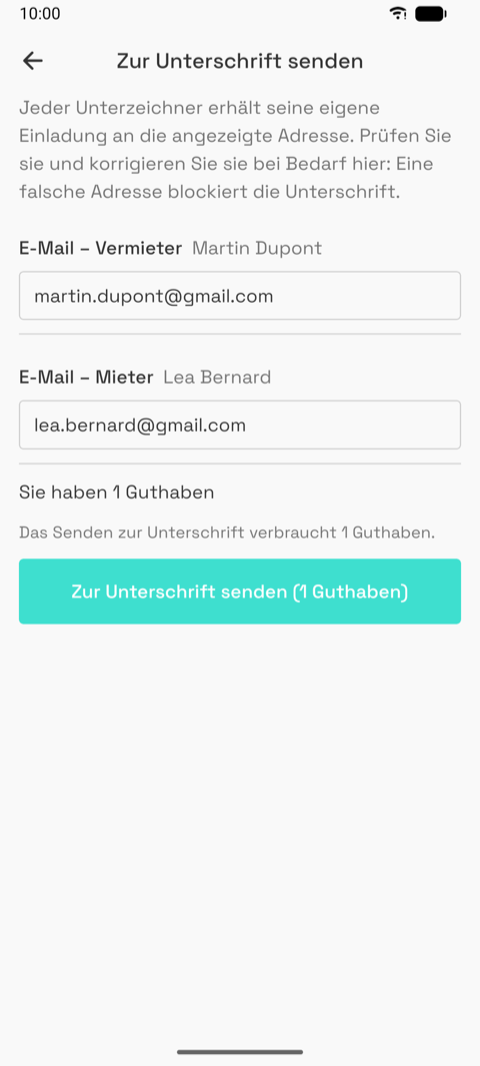 |
- From the summary of a completed, uploaded inspection. The one screen where a mistake costs money, so the copy is explicit.
- One block per signer with an editable email, checked live; the credit balance; "Sending uses 1 credit"; the button. While sending: about thirty seconds, with a spinner.
- Outcomes: "Sent" then the summary shows signer statuses. Errors are specific (no credit, too many photos, edited in Docucéo meanwhile, offline, busy, invalid emails).
06 — What exists today
No designed system yet: the framework's default components, the Appliceo teal, one font. This is the starting material, not a constraint.
Colours
| Role | Used for | |
|---|---|---|
#25c2b2 |
Primary teal | Buttons, links, selected chips, header actions |
#3edfcf #2a9995 #e9f7f6 |
Teal ramp | Selected backgrounds, intro background, success |
#ffa107 #ffcc99 |
Orange accent | Intro illustrations, the "État d'usage" grade |
#333333 #737373 |
Text, secondary text | Body; labels, hints, dates |
#f9f9f9 #cccccc #d2d2d2 |
Background, border, separator | Every screen |
#bc2427 #ffebe8 |
Error | Validation, delete, "Cancel" in the wizard |
#2d2d37 |
Dark grey | Login and register buttons (framework default) |
Grades, shared with the PDF:
| Neuf | Très bon | Bon | État d'usage | Mauvais | Très mauvais |
|---|---|---|---|---|---|
#1a8e4a |
#32aa5d |
#7ac143 |
#ffa107 |
#e2571e |
#bc2427 |
Functioning scale: #1a8e4a Working, #bc2427 Not working, Absent and Not tested in the neutral greys.
Light mode only. A dark palette exists in code but is switched off.
Type
Space Grotesk, five weights, bundled (identical on iOS and Android). Body 16 / 24, section titles 20 / 32, labels 16 medium, small text 14 and 12. The PDF has its own styles.
Spacing and shape
Scale 2, 4, 8, 12, 16, 24, 32, 48, 64. Side padding 16. Cards and inputs: 4 px radius, 1 px border. Buttons: 48 px tall, full width. Chips: pills, outlined, filled when selected.
Icons
Ionicons (outline style): back, close, plus, camera, flip camera, trash, pen, image, chevrons, menu, person, home, document, check, eye, logout, cloud done, cloud pending. Any Ionicons glyph can be added cheaply.
Components in use
| Component | Where |
|---|---|
| Chip row (filters, type choices, civility) | Home, wizard, forms |
| Stepper (− n +) | Rooms step, keys |
| Grade picker, 2 × 3 pills; functioning picker, 2 × 2 | Room |
| Collapsible groups | Furniture inventory |
| Origin badge (Appliceo / Docucéo / This device / Modified locally) | Pickers, forms, cards |
| Status pills, envelope icon, cloud icon | Home rows, summary |
| Upload row, signer list | Summary |
| Photo grid, caption editor, lightbox | Room, editor |
| Keys, meters, furniture blocks | Editor |
| Bottom sheets (action menu, add room, rename, guest) | Home, editor, login |
| Native alerts (confirm, info) | Everywhere |
| Cards, list rows with chevron, empty state, text fields with label and error | Everywhere |
Native pieces we do not restyle: alerts, the legal-form picker, camera permission, the share sheet, the keyboard.
Motion
Intro slides and bottom sheets animate. Rooms and elements reorder by long-press drag. Screen transitions are the platform defaults.
For engineers
app/theme/colors.ts, typography.ts, spacing.ts, motion.ts; components in
app/components/; icon registry in Icon.tsx; grade colours in vendor/edl-report/condition.js;
Ignite 11 boilerplate; @gorhom/bottom-sheet, react-native-draggable-flatlist, Reanimated 4.
07 — Constraints, and what we need from you
Hard constraints
NOTE FROM JEROME: I re read this and removed corporate horrors, there may be some left so don't feel offended by terrible things claude can say
-
Phone, portrait, iOS and Android from one code base. Native dialogs, pickers, keyboard and permission prompts look different per platform and stay native. Smallest targets: iPhone SE width (375) and small Android (360).
J: this one is less a decision that a rationale thing to do making correxct pickers take time we can change later
-
Offline first. Every screen except login, register, the pickers and the send screen must work with no network.
-
Light mode only for now.
-
Reference names are French in every language, up to about 30 characters ("Détecteur de fumée", "Assiettes creuses / assiettes à pâtes").
-
Three UI languages. French runs 20 to 30 % longer than English. Check the longest at the smallest width.
-
Six fixed grades with fixed colours shared with the PDF. Their presentation is yours; their number, order and colours are the client's.
-
Signature is DocuSign, outside the app. The app collects and checks emails, then shows status.
J: this is true but it will print a html too i'll include it asap
-
Locked means locked. Sent, paying or signed inspections cannot change on the phone.
-
Photos are the heavy part. Sixty per report is normal; thumbnails stay small.
Product constraints
- French first. Propose copy in English; we translate.
- A signed inspection is a legal document, frozen forever. "Modify" means duplicate.
- The checklist is the client's: rooms, elements, furniture, grades.
- Guest mode stays. A whole inspection without an account, asked for one only at export or signature.
- Login is shared with Docucéo; verification and reset links open in the browser today.
Practical
- Releases every one to two weeks to testers. Pure UI changes are cheap; new native features (permissions, icon, splash) cost a store build.
- One developer. Reusing the existing components (06) ships fast; a new pattern is fine when it serves several screens.
What we would like from you
- An audit of the current screens, problems ranked.
- A visual direction that sits next to Docucéo's identity (teal, the robot) without copying the web.
- Key screens redesigned, in this order of value: Home, Room (the one used most, standing, one hand), Editor, Summary, the wizard, Login and guest entry.
- A component sheet for the pieces in 06, both platforms where they differ.
- Flows for the rough parts: first launch to first inspection, move-out comparison, send for signature and after, remote-only inspections.
- Store assets later: icon, screenshots, feature graphic.
Figma is easiest for us. Name frames by the screen numbers used here (05 Home, 14 Room…).
J: what claude mean here is HE prefer figma, because it explain things to an ai in the format than say illustrator I, JEROME don't mind what you use, but it figma IS an option we will gladly take it
08 — Known issues and open questions
Known, accepted for now
- Verification and password-reset links open in the browser, on Docucéo; the user comes back to log in. In-app links are planned.
- The overall grade is a plain average and misleads with sparse grading. Planned: show it as a suggestion with a manual override.
- The checklist (rooms, elements, furniture) needs an app release to change.
- In-app purchase of credits exists in test builds only; production users buy in Docucéo.
- "ZIP export (development only)" on the summary is a developer tool.
- Property and lease lists exist under Home but their tabs are hidden.
- Home search and filters coexist; their interaction is not final.
- A report above a size limit cannot be signed; a photo-count warning is planned.
Noticed while taking these screenshots
- Confirmation dialogs show French buttons in the German app (Annuler / Confirmer).
- The update notice ("this update clears the inventories") shows on a fresh install.
- Auto-generated names title-case the street ("12 rue Des Lilas").
- The room screen shows a red trash icon on every element at all times; the editor shows it only in edit mode.
- Settings shows the credit section to guests, disabled.
- Login and register buttons are dark grey; every other primary action is teal.
- Two "edit" idioms: pens next to header fields, a text link for the room list.
- The furniture inventory nests three levels (room › category › item) with counters like 0/91; hard to scan.
- Move-out rooms pre-fill the move-in grades, so an unvisited room looks done.
- The keyboard covers the lower fields of long forms on Android.
Questions for you
- Home: is the list the right home, or should the current inspection come first?
- Room: the grade grid takes most of the screen per element; is a compact row with an expand better for 10 to 17 elements?
- Move-out: how should "unchanged" versus "changed" read at a glance?
- Guest mode: a sheet, disabled buttons with "Account required", a sign-in wall in the picker. Three patterns for one rule. Which wins?
- Locked state: greying every control is honest but noisy. What should a sent or signed inspection look like?
- Remote-only inspections: like the others in the list, or clearly "elsewhere"?
- Dialogs: keep native alerts, or design in-app ones?
- Dark mode: worth designing tokens for, or leave off?
Out of scope
The report PDF (shared with the web app), the Docucéo and Appliceo web screens (a separate hand-off will cover Docucéo's part of the inspection flow), store listing copy.
09 — Brand and assets
There is no written brand guideline. The brand is a colour palette, two logos and a mascot.
Files in assets/brand/
| File | What |
|---|---|
tokens.json |
Appliceo's cross-product colour tokens (brand teal ramp, action orange, surfaces, neutrals, status, charts). The app's colors.ts copies the teal and orange from here. |
logo.svg, logo-mini.svg, logo-footer.svg |
The Appliceo wordmark and its compact and footer versions. |
appliceo-happy.svg, appliceo-thinking.svg |
The Appliceo mascot, two of six poses (also sad, suggesting, delivering a message, quite happy). |
docuceo-robot.svg |
The Docucéo robot mark, used in the intro's second slide and embedded in the report PDF. |
app-icon.png |
Current app icon (iOS and Android, same source). |
splash-logo.png |
Splash logo; splash background is #F4F2F1. |
Brand colours: teal #3edfcf, #25c2b2, #2a9995, #007267; action orange #ffa107,
#ef7600. Docucéo (the web app) uses the same teal with a cooler, oklch-based ramp and the
Manrope font; this app uses Space Grotesk. Aligning the two is an open question for you.
Store material
assets/store/: the current Play Store feature graphic and two framed screenshots (French).
The store listing text lives in store/listing/ in the repository (French and English). The
screenshot frames are generated from an HTML template in store/src/; the source captures are
raw phone screenshots like the ones in this folder.
Report
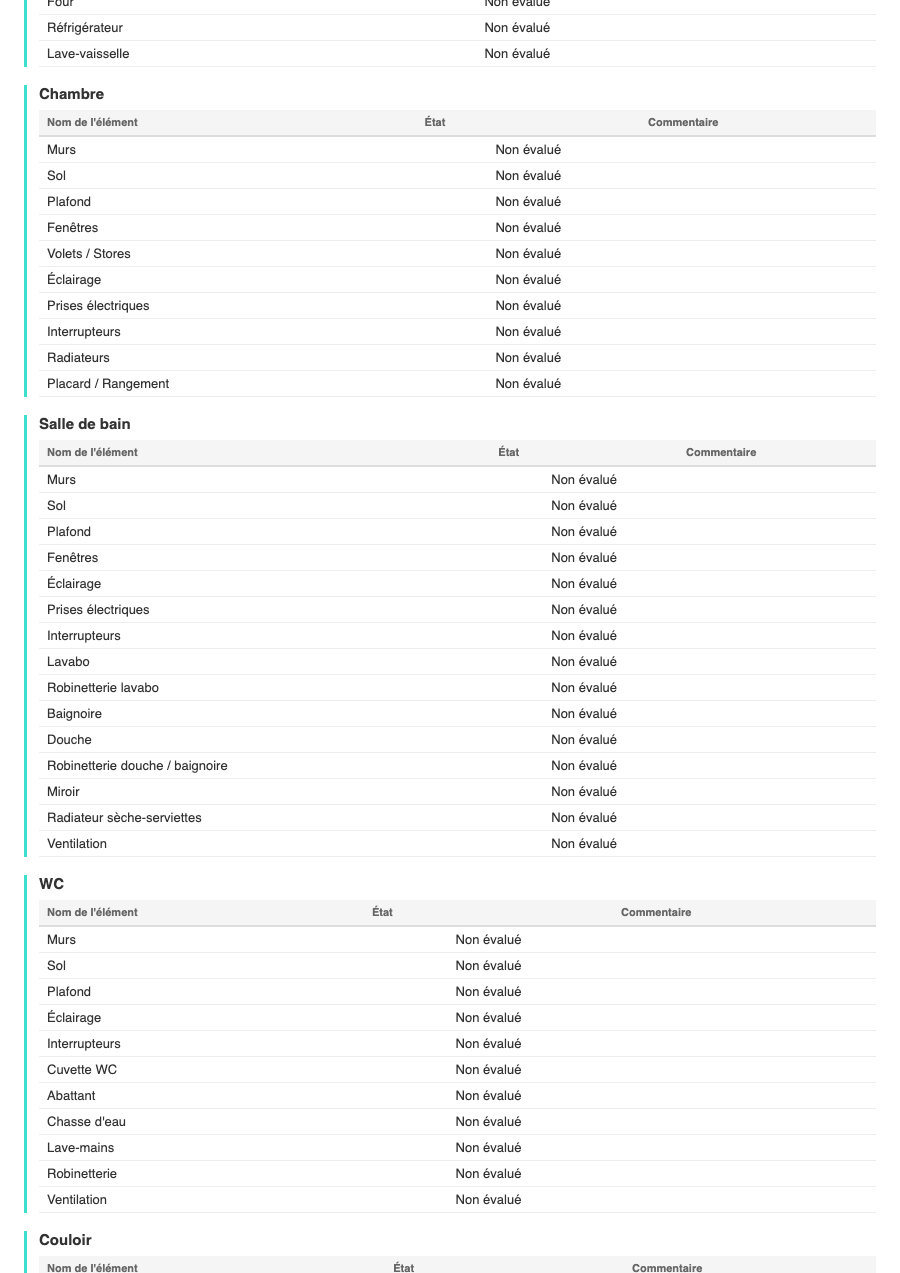
assets/report/sample-report.pdf is a real inspection report produced by the app (with the
client's anonymised data), and report-page-1..3.png the first pages rendered. The report is
the deliverable the customer keeps and signs; its layout is shared with the web app and out of
scope for this hand-off, but it shows what the data collected on the phone turns into.

Illustrations
The intro slides use four illustrations drawn in code, animated. They are placeholders: a phone with a checklist, the robot, a signed page, a start screen. Replacing them with your artwork means SVG or Lottie.
10 — TODO
What remains to be added to this document before it is complete. Each item becomes a section of its own in a later version; the version history in 11 says when.
- Docucéo flows. The web half of the journey: how an inspection report is reviewed, paid and signed from Docucéo, how signed documents are downloaded there, and what the user sees in the phone meanwhile. Screenshots of the web app, same test account.
- Reports. The end product: the PDF and the HTML version of a report, page by page. Full version with photos, light version without, the move-out comparison. What is fixed by law and what can change.
11 — Document history
This document has its own version, independent of the app version. The newest entry is first.
| Version | Date | Changes |
|---|---|---|
| 1.1 | 2026-10-20 | Section 07 rewritten by Jérome (notes marked "J:"). Sections 10 TODO and 11 history added. |
| 1.0 | 2026-10-19 | First hand-off: product, glossary, screen map, flows, 21 screens, design system, constraints, open UX, brand assets. App 1.10.0, German build, Android captures. |